INS 4.2 Upload and analyse recordings
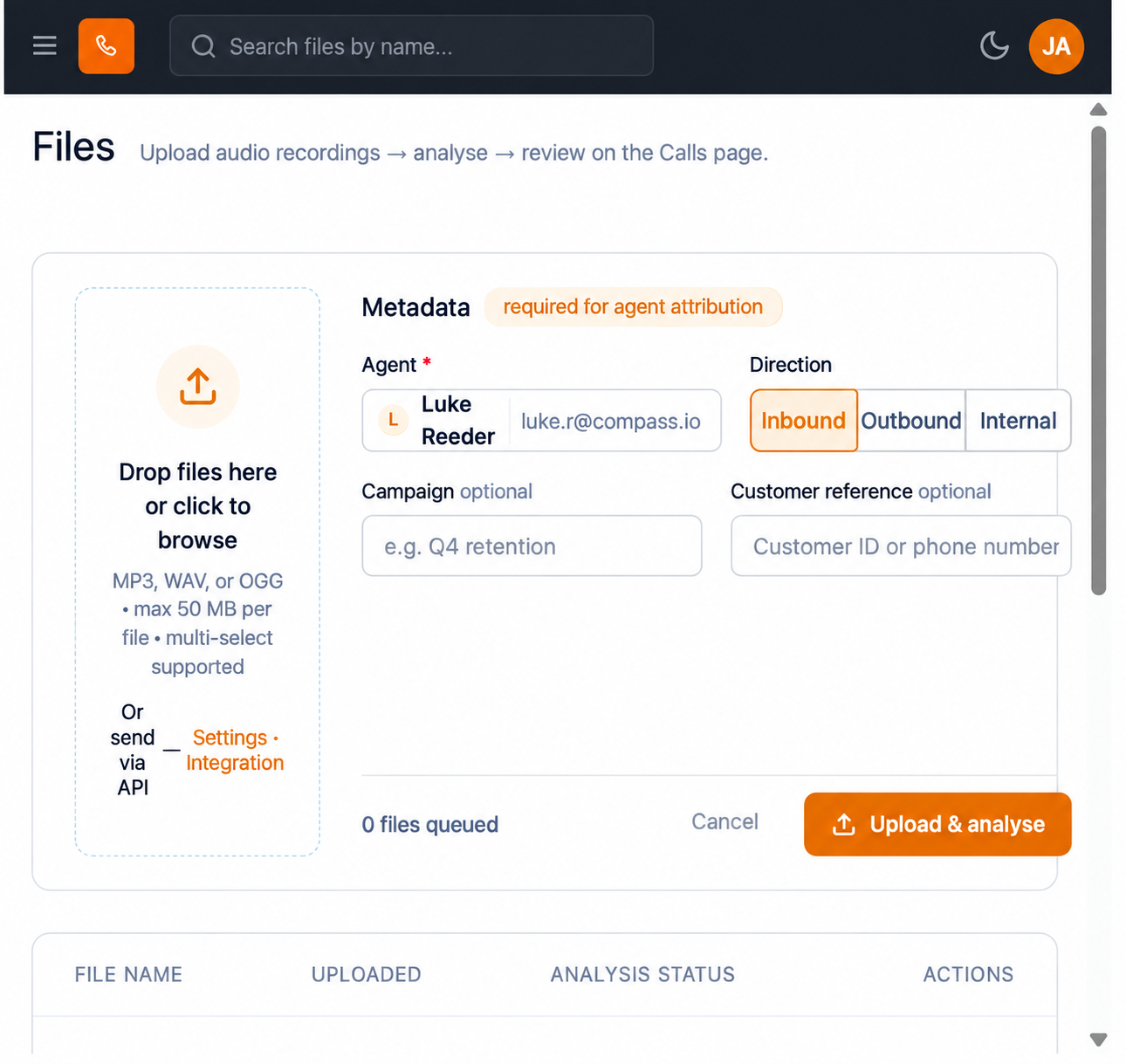
The metadata block is headed Metadata, with the note "required for agent attribution".
- حدد الملفات.
- Drop the recordings into the upload area, or select the area to browse for files.
- تأكيد every queued file is MP3, WAV or OGG and no larger than 50 MB.
- In الوكيل, marked mandatory with an asterisk, select the agent responsible for the call. The picker lists each agent by name and email address.
- Set Direction: Inbound, Outbound or Internal.
- Optionally enter a الحملة value.
- Optionally enter a Customer reference, for example an approved customer ID.
- Check the queued-file count.
- حدد Upload & analyse.
- Watch Analysis الحالة in the files table, then read the completed result on المكالمات.
Always set الوكيل. An upload without it becomes an unassigned call: it is analysed, but it is attributed to nobody, so it is missing from agent leaderboards and per-agent insights. Unassigned calls then have to be reconciled by hand (see INS 5.2). Setting الوكيل at upload is the single habit that keeps agent analytics trustworthy.
Set Direction honestly. Inbound and outbound calls are judged differently by the analysis, and mislabelling them distorts every aggregate that follows.
Figure key, الملفات
- Insights left navigation, with الملفات selected.
- Upload area, accepting MP3, WAV and OGG up to 50 MB.
- الوكيل selector.
- Direction selector: Inbound, Outbound, Internal.
- الحملة field.
- Customer reference field.
- Queued-file count.
- إلغاء control.
- Upload & analyse button.
- الملفات table, with the columns FILE NAME, UPLOADED, ANALYSIS STATUS and ACTIONS. Its empty state reads "No files uploaded yet. Upload your first recording using the panel above."