المقسم الآلي 1.3 Review feature codes
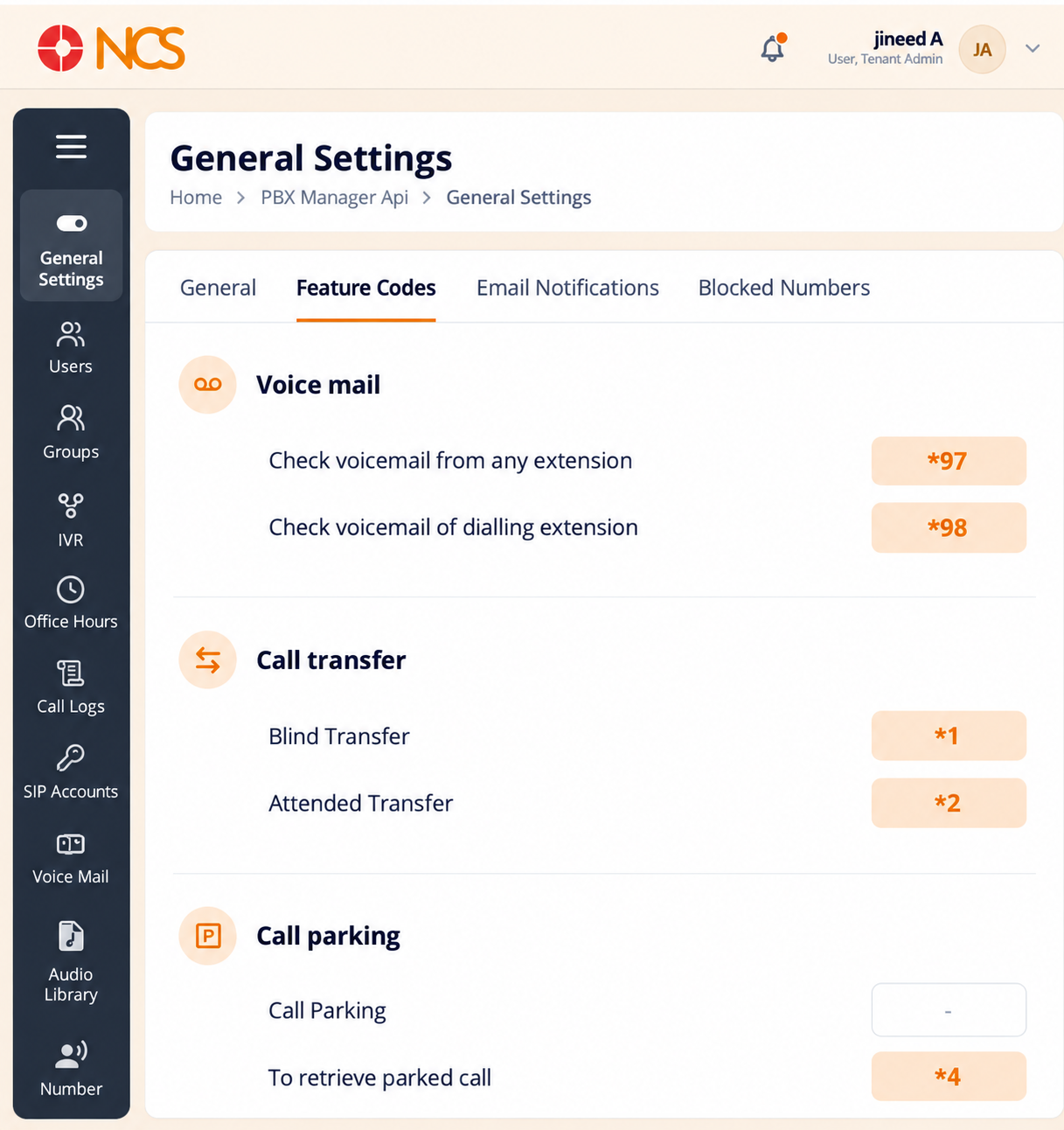
Feature Codes lists the dialling sequences a user enters on their handset to reach a telephony function. They are reference values, not settings you compose: publish them to your users rather than changing them.
- Open مدير المقسم الآلي > General الإعدادات.
- حدد Feature Codes.
- Read the code for each function.
| Function | Code |
|---|---|
| Check voicemail from any extension | *97 |
| Check voicemail of the dialling extension | *98 |
| Blind Transfer | *1 |
| Attended Transfer | *2 |
| Retrieve a parked call | *4 |
| Hot Desk login | *11 |
| Hot Desk logout | *12 |
| Hot Desk toggle service | *13 |
Put these codes in your user documentation. A user has no way to discover them from a handset, and the two voicemail codes are the pair most often confused: *98 checks the mailbox of the extension you are dialling from, *97 reaches any mailbox from any extension.
Figure key, Feature Codes
- Feature Codes tab, selected.
- Voicemail codes, *97 and *98.
- Transfer codes, *1 and *2.
- Parked-call retrieval code, *4.
- Hot desk codes, *11, *12 and *13.