4.2 Review transactions
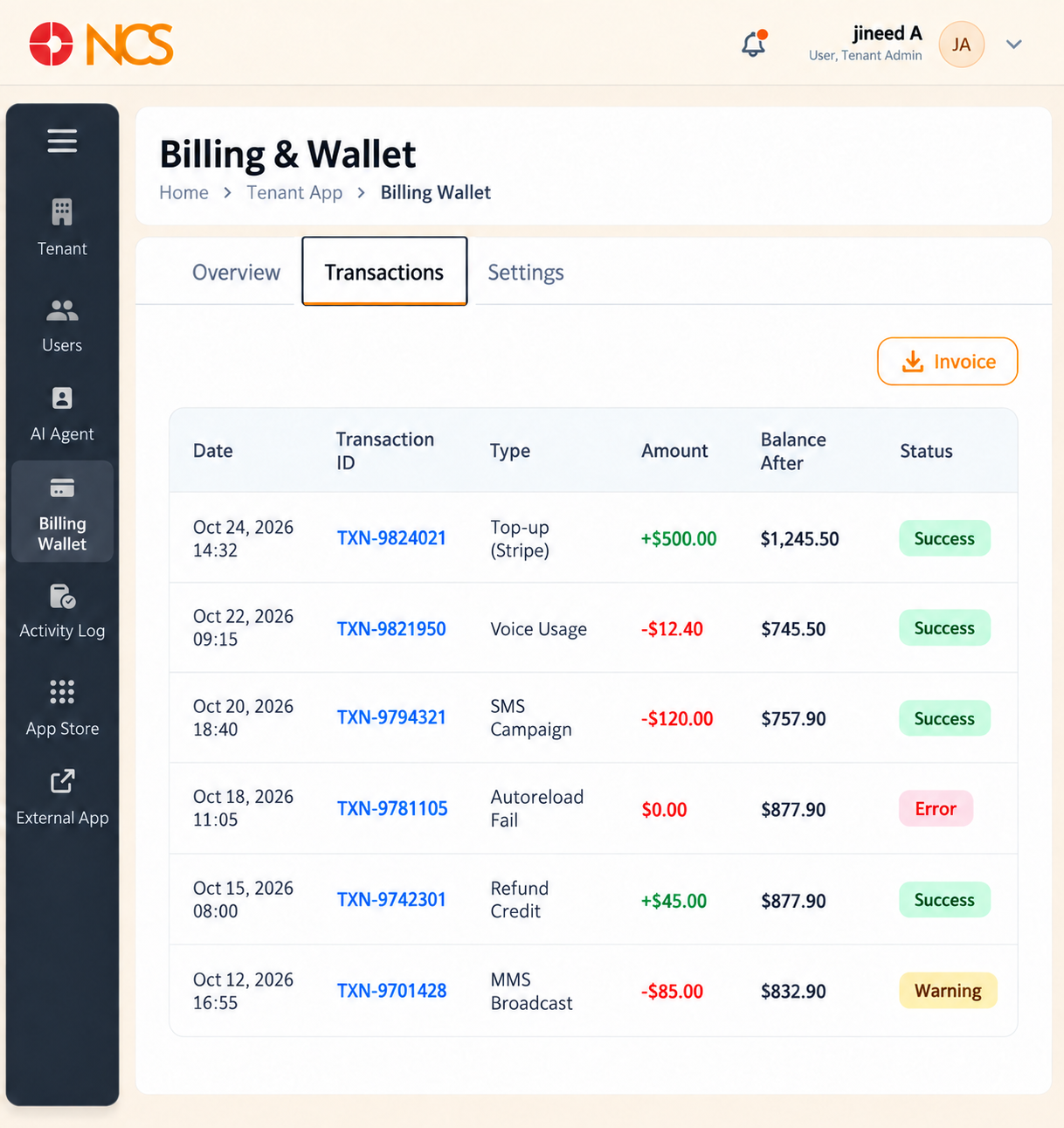
The Transactions tab is the wallet's ledger. Use it to reconcile a bill or to trace where a balance went.
- Open المستأجر > محفظة الفواتير.
- حدد Transactions.
Columns:
| العمود | المحتويات |
|---|---|
| Date | When the transaction was recorded. |
| Transaction ID | The platform's reference for the transaction. Quote this in any billing query. |
| Type | What the transaction was. See the table below. |
| Amount | The value. A positive amount is a credit to the wallet; a negative amount is usage or a charge. |
| Balance After | The wallet balance immediately after the transaction. |
| الحالة | Success, Warning or Error. Check the status before you reconcile a line: a failed transaction can still appear in the ledger. |
Transaction Type values:
| Type | What it records |
|---|---|
| Top-up (Stripe) | A credit added to the wallet through the Stripe payment route. |
| Voice Usage | A charge for voice calling. |
| SMS الحملة | A charge for an outbound SMS campaign run from the البث module. |
| MMS البث | A charge for an outbound MMS broadcast. |
| Auto-reload Fail | An automatic top-up that was attempted and did not complete. Investigate these: an unnoticed auto-reload failure is how a wallet runs dry. |
| Refund Credit | A credit returned to the wallet. |
Invoice - حدد Invoice on a transaction to open the platform's invoice view for it. Pagination - Rows per page on this tab offers 10, 25 and 50. It does not offer 100, unlike the المستخدمون list. Use the page controls to reach older entries.
To reconcile a period, filter by nothing and work down the Date column, checking that each Balance After follows from the previous one and the Amount in between. Raise any line that does not reconcile with support@ncsapp.com, quoting the Transaction ID.
Figure key, Transactions
- Transactions tab, selected.
- Date column.
- Transaction ID column.
- **عمود النوع.
- Amount column.
- Balance After column.
- الحالة column, showing Success, Warning or Error.
- Invoice control on the row.
- Rows per page selector, offering 10, 25 and 50.
- Record count and page controls.