5.1 Search and filter the log
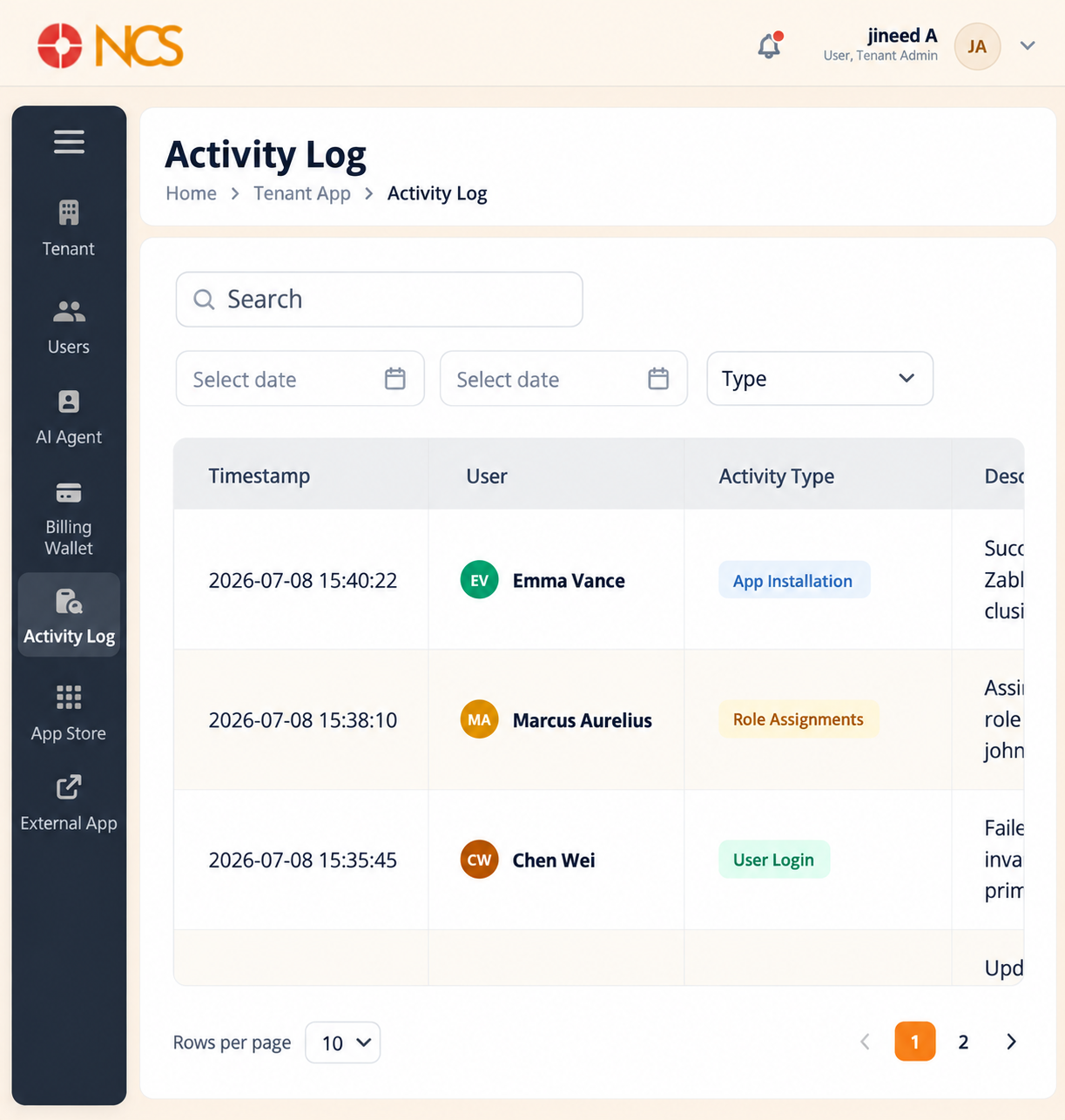
- Open Tenant > Activity Log.
- Enter text in Search to filter the visible records. The search runs across the record text, including the Description column, so it will find events the Type filter cannot reach (see 5.2).
- Use the start date and end date controls to restrict the period.
- Select Type to filter by activity type. The filter offers seven values:
- User Login
- Role Assignment
- Config Update
- App Installation
- File Upload
- Permission Change
- Failed Login
- Use Rows per page and the page controls to reach older records.
Columns:
| Column | Contents |
|---|---|
| Timestamp | When the event was recorded. |
| User | The account the event is attributed to. |
| Activity Type | The classification of the event. |
| Description | What happened, in the platform's own wording. This is where the detail lives, including the reason a sign-in failed. |
| IP Address | The address the request came from. Use this to distinguish an expected office sign-in from an unexpected one. |