3.1 Review and filter the agent list
Tenant > AI Agent holds your tenant's AI agents and the provider configurations that power them. The page has two parts: a list of the agents that exist, filtered by type, and a Settings tab holding the speech-to-text, text-to-speech and language model configurations.
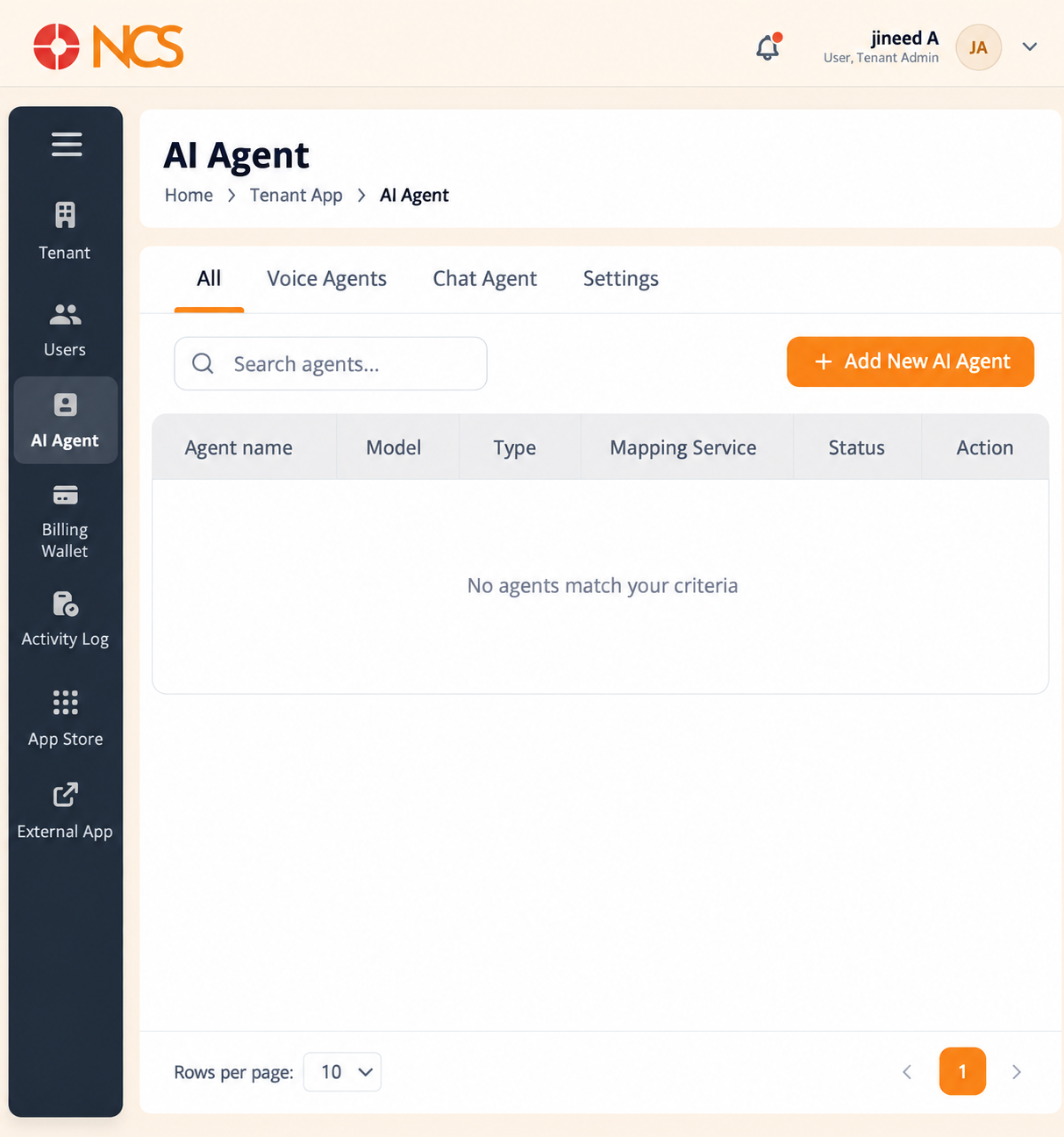
Controls above the table:
- All, Voice Agents and Chat Agent, three filter tabs that restrict the list by agent type.
- Settings, a fourth tab that opens the model configuration pages (see 3.3).
- Search agents, filters the list by text.
- Add New AI Agent, opens the creation flow (see 3.2).
Table columns:
| Column | Contents |
|---|---|
| Agent name | The name given to the agent when it was created. |
| Model | The voice or language model the agent uses. |
| Type | The agent's type, shown as Chatbot for a chat agent. See the note on naming below. |
| Mapping Service | The telephony mapping for the agent. A dash in this cell means the agent has no telephony mapping, so it is reachable through chat but not on a phone number or extension. |
| Status | Whether the agent is live. Active indicates a published, running agent. |
| Action | Two row controls, Edit and Delete. |
Row actions - Edit reopens the agent's configuration so you can change its identity, voice, knowledge base or routing. Delete removes the agent.
Pagination - Rows per page on this page defaults to 10. The Users list defaults to 25, so expect a shorter page here than on Tenant > Users.
Two names for the chat type - The filter tab and the creation modal both call it Chat Agent. The Type column in the table calls the same thing as Chatbot. They are the same agent type.
| Agent type | Filter tab and creation card | Type column |
|---|---|---|
| Voice | Voice Agents | Voice |
| Chat | Chat Agent | Chatbot |
Figure key, AI Agent list
- Breadcrumb.
- Left navigation, with AI Agent selected.
- All filter tab.
- Voice Agents filter tab.
- Chat Agent filter tab.
- Settings tab.
- Search agents field.
- Add New AI Agent button.
- Agent name column.
- Model column.
- Type column.
- Mapping Service column.
- Status column.
- Action column, with the row Edit and Delete controls.
- Rows per page selector and page controls.