Personal Meeting
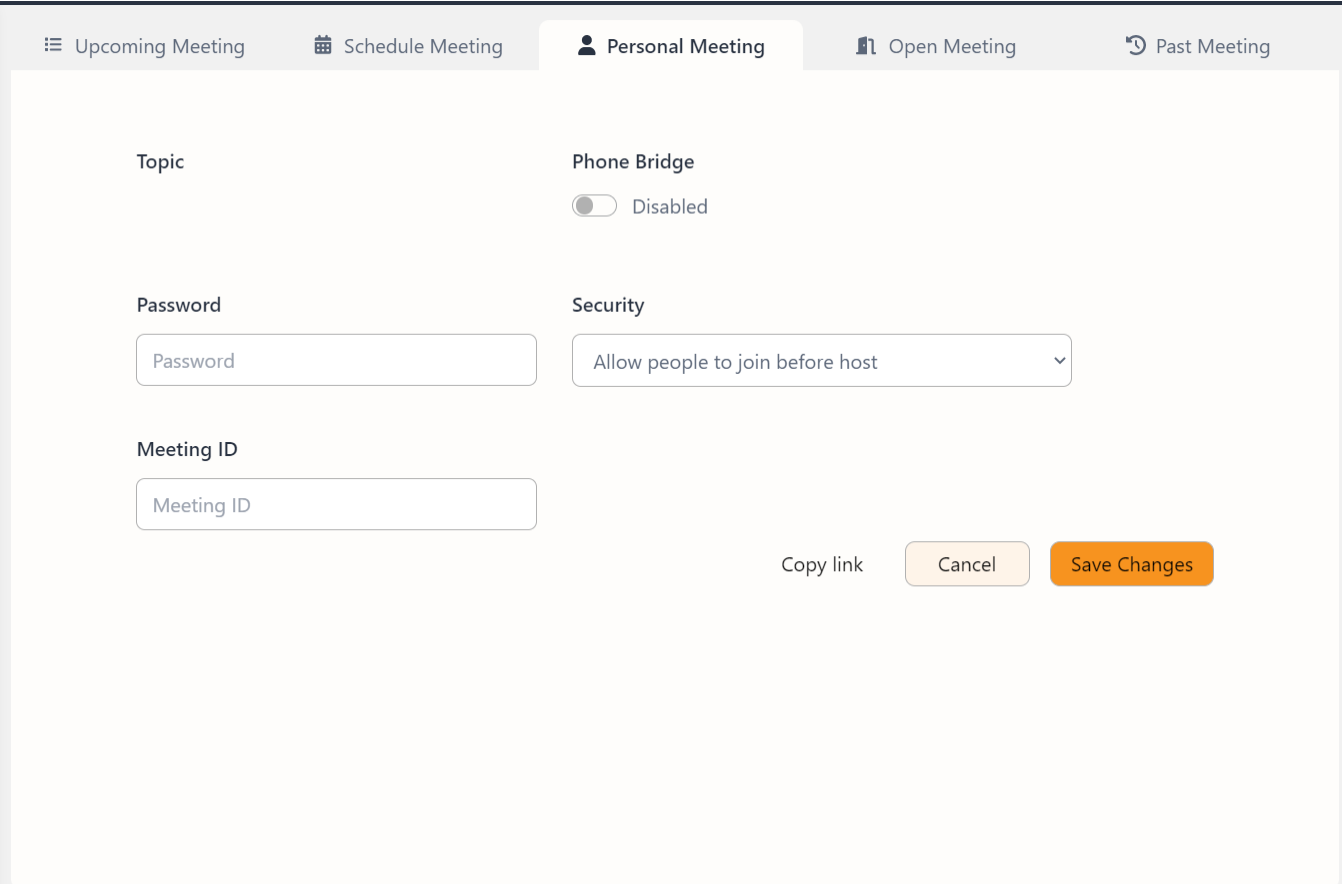
The Personal Meeting is a meeting with a fixed meeting ID that can be attended any time with the permission of the user whose Personal Meeting it is. This section has Topic of the meeting, Password for the meeting, Meeting ID and Security options.
Edit Personal Meeting
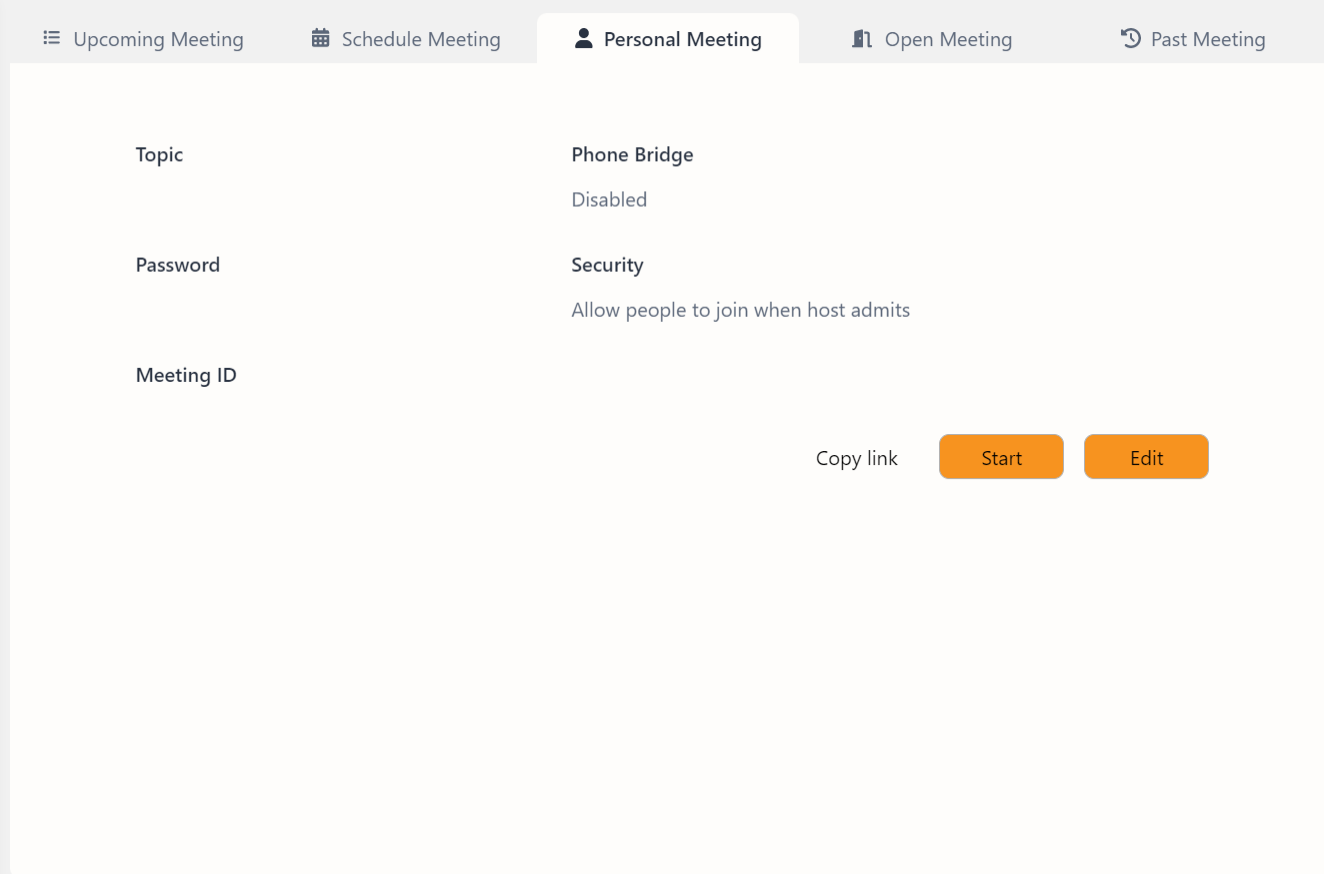
To edit the meeting click the Edit button. This mode provides options to customize the meeting topic, set a password, manage security settings, and configure other meeting details.
Topic: This field allows you to specify the subject or purpose of the meeting.
Password: Enter a password to secure the meeting. Participants will need to enter this password to join. The passwords should be of at least 6 characters.
Meeting ID: Set the personalized meeting ID
Phone Bridge: Toggle this switch to allow participants to join the meeting via phone.
Security: Choose from different security settings to control how participants can join the meeting. The available options include:
- Allow people to join before host
- Allow people to join after host
- Allow people to join when the host admits
Copies the meeting link to the clipboard for easy sharing with participants. Cancels any changes made and returns to the main Personal Meeting screen without saving. Saves any modifications made to the personal meeting settings and returns to the main Personal Meeting screen.