PBX 9.1 Manage IVR audio
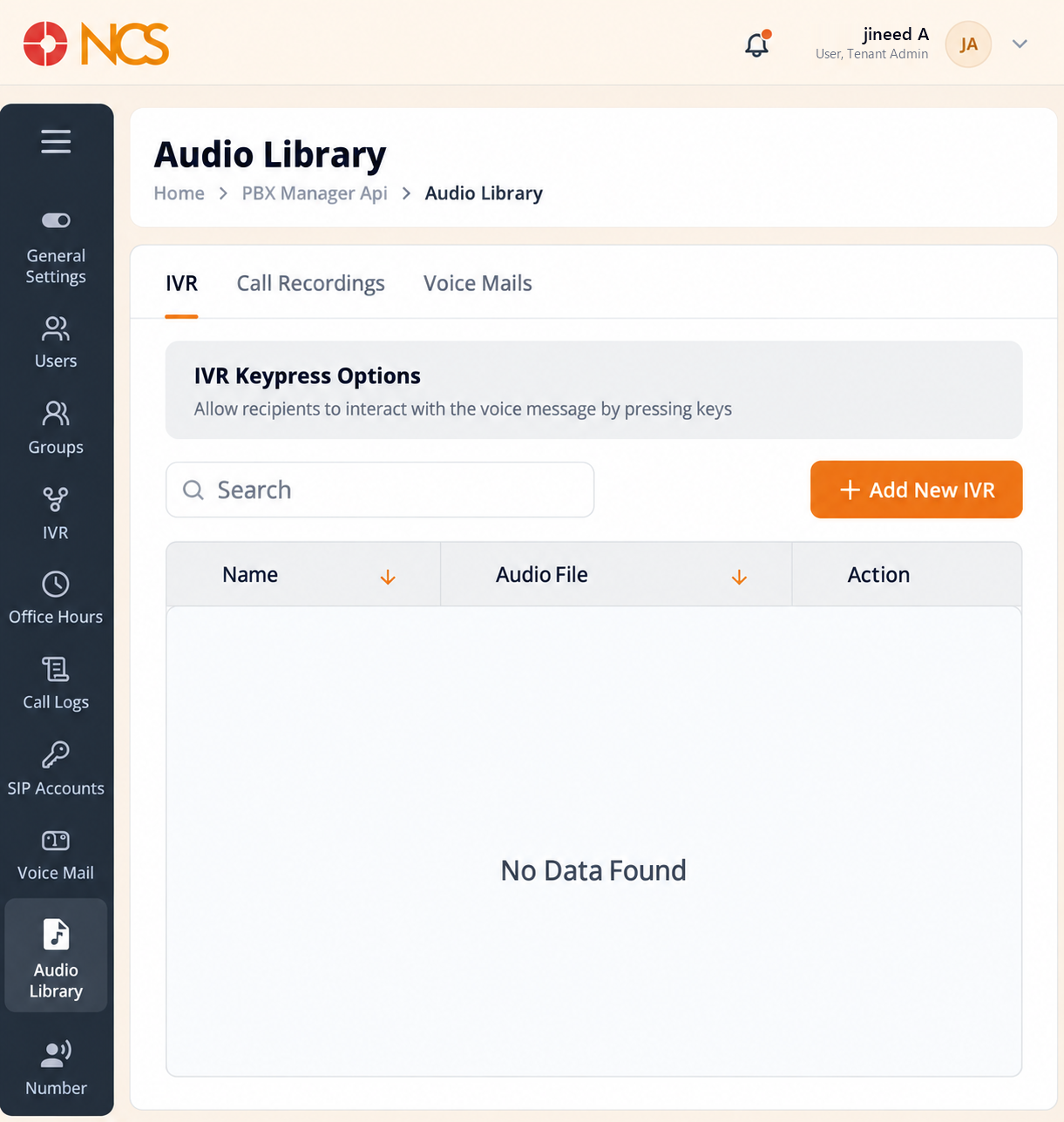
- Open Gestor PBX > Biblioteca de audio.
- Seleccione IVR.
- Use Buscar to locate an audio item, and Sort by Nombre or Sort by Audio File to order the list.
- Review Nombre, Audio File and Acción for each record. The empty state reads No Data Found.
- Seleccione Add New IVR to open the IVR creation process (see PBX 4.2).
Naming Best Practice. These are the greeting and menu files an IVR draws on. Nombre them for their content and their version, for example Main greeting, winter hours, so the IVR form's Audio File picker is readable.
Figure key, Biblioteca de audio, IVR
- Ruta de navegación.
- Left navigation, with Biblioteca de audio selected.
- IVR tab, selected.
- Llamada Recordings tab.
- Voice Mails tab.
- Buscar field.
- Add New IVR button.
- Nombre column.
- Audio File column.
- Acción column.