PBX 5.2 Create an office-hours strategy
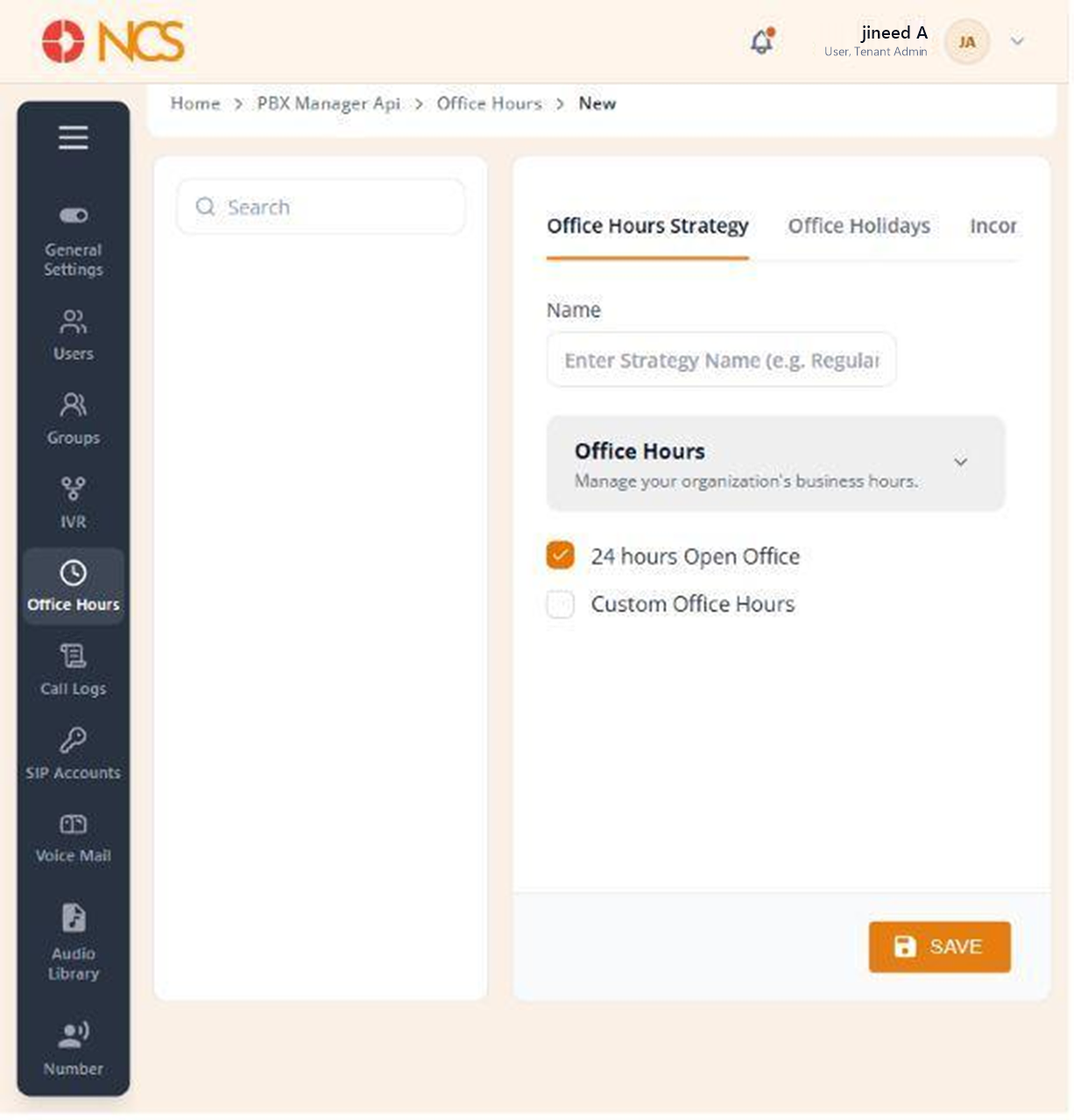
A strategy is built across three tabs, Horario de oficina Strategy, Office Holidays and Incoming Llamada Handling, each with its own SAVE.
- Open Gestor PBX > Horario de oficina and select Add New Horario de oficina Strategy.
- Ingrese el strategy Nombre. The placeholder shows the expected form: Enter Strategy Nombre (e.g. Regular Business Hours).
- Under Horario de oficina, "Manage your organization's business hours", choose the operating pattern:
- 24 hours Open Office, for a continuously staffed operation.
- Custom Horario de oficina, to define specific operating periods.
- Selecting Custom Horario de oficina reveals a Day list covering Monday through Sunday, plus a Closed For Lunch Hours option. Set the operating periods for each day.
- Seleccione SAVE.
Lunch is a separate schedule state, not a gap in the day. Selecting Closed For Lunch Hours here is what makes the Lunch Hours routing state on the Incoming Llamada Handling tab (PBX 5.4) reachable. Set the two together, or you will configure a lunch route that never fires.
Set the schedule in your own operating timezone and confirm it. A schedule an hour out sends every early call to the closed-hours route, which reads to a customer as an organisation that does not answer its phone.
Figure key, Horario de oficina Strategy
- Strategy Nombre field.
- 24 hours Open Office option.
- Custom Horario de oficina option.
- Per-day period controls, shown when Custom Horario de oficina is selected.
- **Botón Guardar.