SUP 6.1 Monitor live voice queues
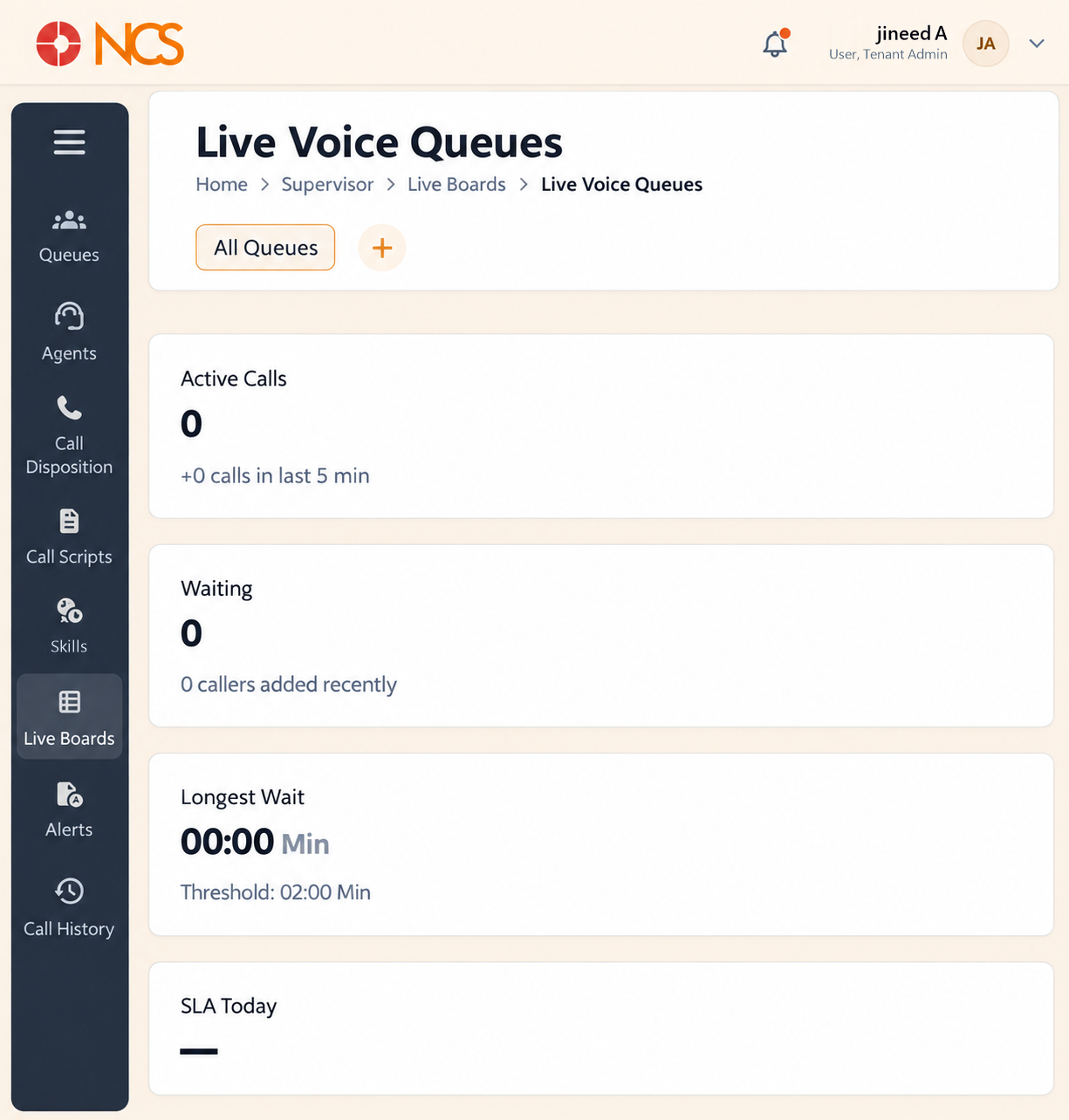
- Open Supervisor > Paneles en vivo > Live Voice Colas.
- Seleccione All Colas, or narrow the scope to one queue.
- Read the queue measures: Active Llamadas, Waiting, Longest Wait, SLA Today, CSAT, Connected Llamadas, AHT and Team Mood.
- Review Roster Utilization and Llamada Volume.
- In All Llamadas, use the All, Busy, On Hold, On Consult and Wrap Up filters.
- Use search calls and Customize Tabla as required.
Paneles en vivo is a group, not a page. Selecting Paneles en vivo in the left navigation expands it into three items: Live Voice Colas, Live Agente Estado and Live Wallboard. It does not open a page of its own.
Each board carries a Live indicator and a Elija Your Widget control, which selects which panels are shown.
Verified detail on this board
| Measure | Notes |
|---|---|
| Active Llamadas | With a five-minute trend beneath, for example "+0 calls in last 5 min". |
| Waiting | With a recency note beneath. |
| Longest Wait | In minutes, shown against its own Threshold, for example Threshold: 02:00 Min. |
| Connected Llamadas | Shown as a value against a total. |
| AHT | Average handling time, in minutes. |
Roster Utilization reports the agent count and splits it across Available, Busy, Hold, Wrap Up, Not Ready and Offline. Beside it, ADHERENCE ("Measures schedule compliance") and OCCUPANCY ("Tracks active handling time").
Llamada Volume (last 24 hours) charts Llamadas Handled, Total Llamadas and Projected Llamadas on an hourly axis ending at Now.
The All Llamadas table carries the columns Llamadaer, Date & Time, Queue, Agente, Wait Time, Talk Time and State, and reads No Active Llamadas when the queue is quiet.
Watch Longest Wait, not Waiting. Waiting tells you how many people are queued; Longest Wait tells you whether one of them has been abandoned by your routing. A queue with two callers and a nine-minute longest wait is in worse shape than one with eight callers all under a minute.
Figure key, Live Voice Colas
- Ruta de navegación.
- Left navigation, with Paneles en vivo selected.
- Live Voice Colas board selector.
- Live Agente Estado board selector.
- Live Wallboard board selector.
- All Colas scope selector.
- Roster Utilization panel.
- Llamada Volume panel.
- All Llamadas table, with its All, Busy, On Hold, On Consult and Wrap Up filters.
- search calls field.
- Customize Tabla control.