SUP 1.1 Review the queue list and open a queue
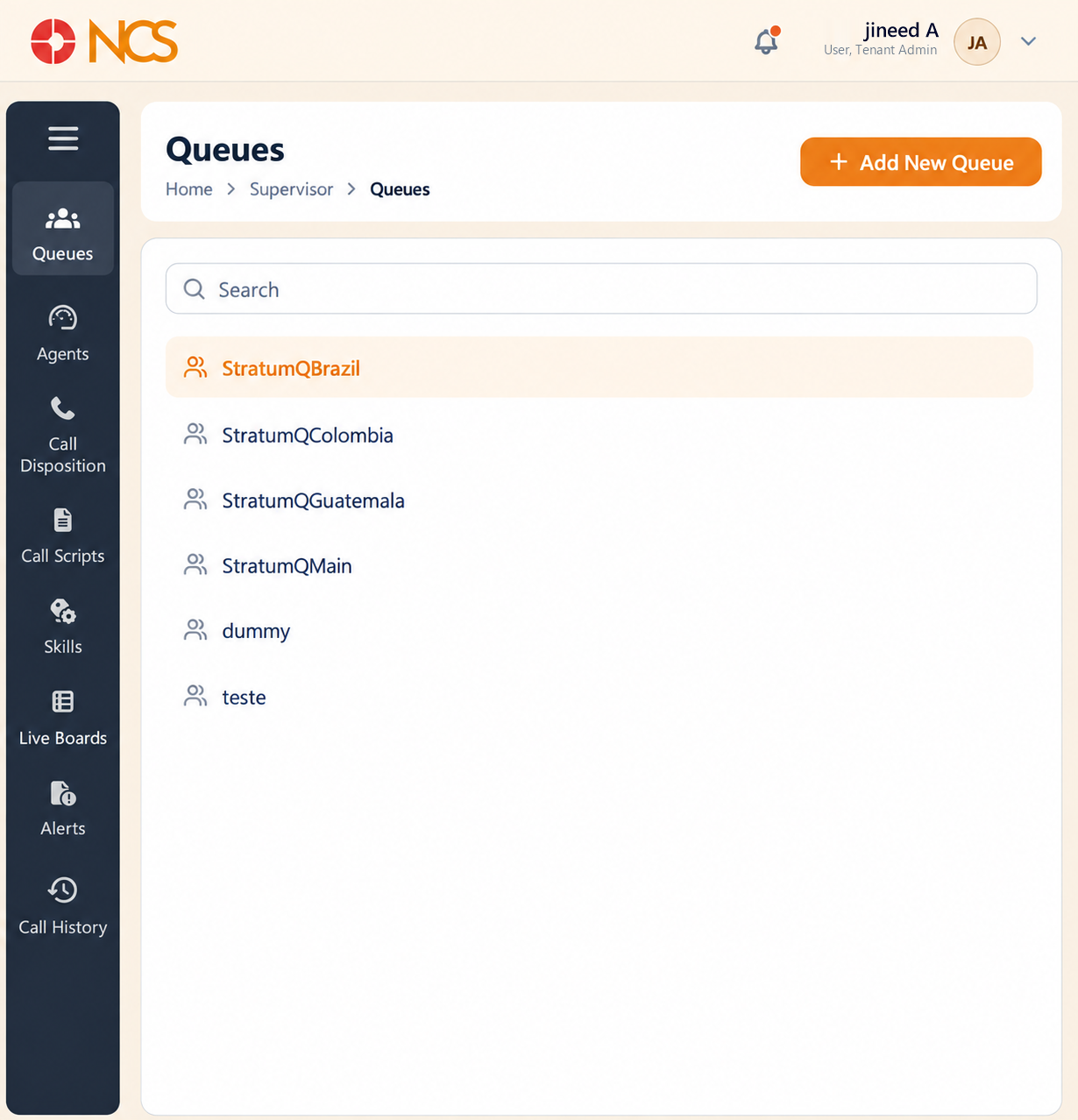
- Seleccione the Supervisor tile on the dashboard. The module opens on Colas.
- Use Buscar to locate a queue.
- Seleccione a queue in the list to open it.
The queue opens on its Descripción general tab. A queue has five tabs:
| Tab | What it configures |
|---|---|
| Descripción general | The queue's name and type, its extensions and its phone numbers. |
| Supervisor | Who supervises the queue and what they may do. |
| Agentes | Who takes calls from the queue, with what skills and priority. |
| Llamadaer Experience | What the caller hears while waiting. |
| Configuración | Distribution, timing, capacity, SLA, wrap-up, breaks and compliance. |
Add New Queue sits on the queue list and opens the creation form (see SUP 1.7).
Figure key, Colas
- Ruta de navegación.
- Left navigation, nine items, with Colas selected.
- Buscar field.
- Queue list.
- Add New Queue button.
- Queue detail panel, opened on the Descripción general tab.
- Tab row: Descripción general, Supervisor, Agentes, Llamadaer Experience, Configuración.