SUP 1.3 Supervisor tab, assign queue supervisors
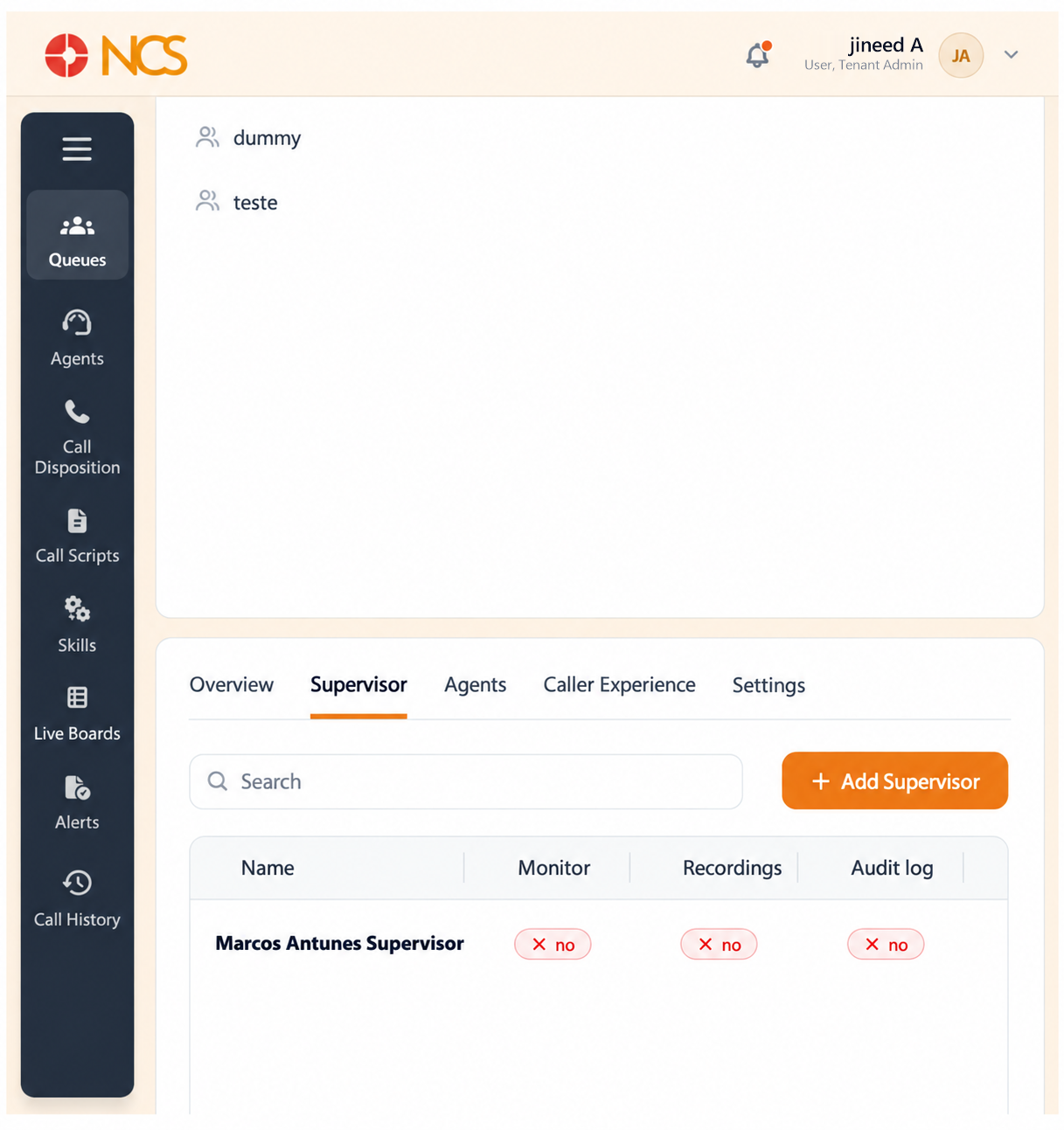
The Supervisor tab decides who oversees the queue and what oversight powers they hold. The tab holds an Add Supervisor button and a table with the columns Nombre, Monitor, Recordings, Audit log, Force actions and Acciones. Each permission column shows yes or no for that supervisor.
- Open the queue and select Supervisor.
- Seleccione Add Supervisor. The Add New Supervisor dialogue opens, headed Seleccione Supervisors.
- Use the dialogue's Buscar field to find a person, select them, then select Add. Seleccione Cancelar to abandon.
- Review the four permissions held by each supervisor:
| Permission | What it grants |
|---|---|
| Monitor | Listening to live calls on the queue. |
| Recordings | Access to the queue's call recordings. |
| Audit log | Access to the audit record of actions on the queue. |
| Force actions | Intervening in a live call or an agent state, for example forcing an agent out of a session. |
- Use the row action to edit or remove an assignment.
Figure key, Queue Supervisor tab
- Supervisor tab, selected.
- Tabla columns: Nombre, Monitor, Recordings, Audit log, Force actions, Acciones.
- Add Supervisor button.
- Supervisor rows, each showing the assigned person.
- Monitor permission control.
- Recordings permission control.
- Audit log permission control.
- Force actions permission control.
- Row action, edits or removes the assignment.