SUP 1.5 Llamadaer Experience tab
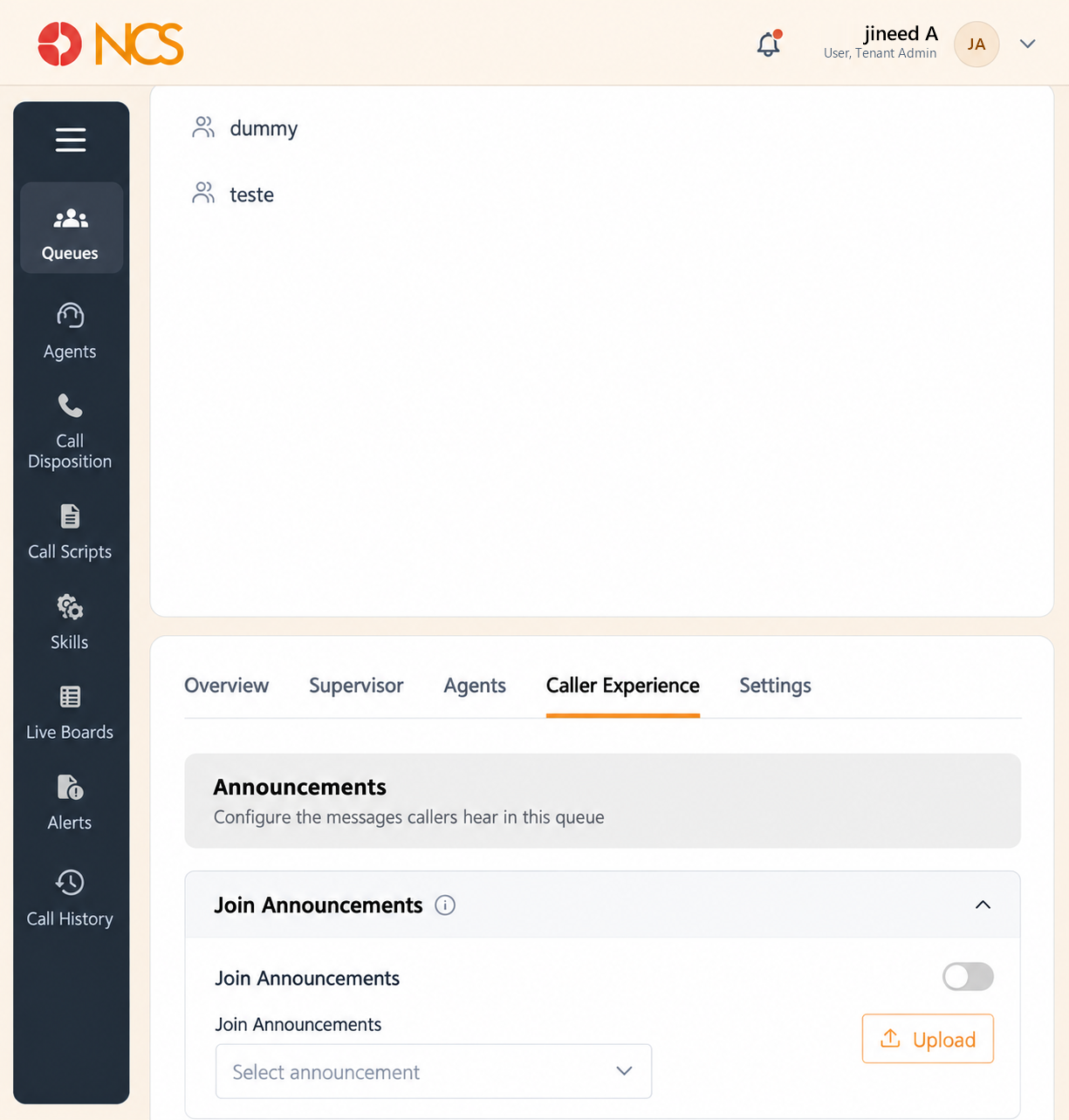
Announcements
| Setting | The application's own description |
|---|---|
| Join Announcements | "Play a message when callers join the queue." Selector placeholder: Seleccione announcement. |
| Wait Music | "Play music while callers are waiting for an agent." Selector placeholder: Seleccione wait music. |
| Comfort message | "Play periodic messages during queue wait time." Selector placeholder: Seleccione comfort message. |
| Comfort message frequency | "How often comfort messages are played." Observed default: Once. |
An **Botón Añadir sits at the end of the Announcements block.
Llamadaback Configuración
In-Queue Llamadaback, "Enable callbacks for waiting callers", is the master switch. Beneath it the settings are grouped under two headings.
RETRY & EXPIRY
| Setting | Por defecto | What it sets |
|---|---|---|
| Llamadaback retry interval | "Time between callback attempts." | |
| Max retry attempts | 3 | "Maximum callback retries." |
| Llamadaback expiry | 24 Hours | "How long a callback request remains valid." Options: 1 Hour, 2 Hours, 4 Hours, 8 Hours, 12 Hours, 24 Hours, 48 Hours, 72 Hours. |
| Retryable Outcomes | Which failed attempts count as retryable: No answer, Busy, Voicemail, Agente Unavailable. |
ROUTING & QUEUE HANDLING
| Setting | Por defecto | Options and meaning |
|---|---|---|
| Routing Mode | Customer First | "Defines how callback interactions are connected." Options: Customer First, Agente First, Simultaneous. |
| Llamadaback Queue Handling | Original Queue | "Determines where callback requests are managed." Options: Original Queue, Llamadaback Queue, Priority Queue. |
| Setting | Por defecto | Options and meaning |
|---|---|---|
| Announce Position | Off | With its own Announce Position frequency, "Frequency of queue position announcements." |
| Announce avg wait time | Off | With its own Announce avg wait time frequency, "Frequency of wait time announcements." |
Seleccione Save to apply.
Elija Routing Mode with your agents' time in mind, not just the customer's. Customer First rings the customer and only then engages an agent, so the agent is not left holding a dead line, but the customer answers to silence. Agente First does the reverse and guarantees the customer hears a person immediately, at the cost of agent time when the customer does not pick up. Simultaneous is fastest and wastes the most. If your callback list is long and your agents are few, Customer First protects the scarcer resource.
Configure In-Queue Llamadaback before you configure anything else here. Of everything on this tab, it is the one setting that reduces abandoned calls rather than making the wait more pleasant. Announce Position and Announce avg wait time work in the same direction: a caller told the wait is eight minutes makes an informed decision, whereas a caller hearing only music forms their own estimate and usually hangs up sooner.
Load the audio into the Biblioteca de audio first. Use Upload here for a one-off, but keeping greetings and wait music in the Biblioteca de audio (see PBX 9) means you can reuse and version them across queues.
Figure key, Queue Llamadaer Experience
- Llamadaer Experience tab, selected.
- Announcements heading.
- Join Announcements control, audio selector and Upload.
- Wait Music control, audio selector and Upload.
- Comfort message control, audio selector, Comfort message frequency and Upload.
- Llamadaback Configuración heading and the In-Queue Llamadaback switch.
- RETRY & EXPIRY group: retry interval, Max retry attempts, Llamadaback expiry, Retryable Outcomes.
- ROUTING & QUEUE HANDLING group: Routing Mode, Llamadaback Queue Handling.
- Announce Position and its frequency.
- Announce avg wait time and its frequency.
- **Botón Guardar.