BRD 3.2 Create a contact list
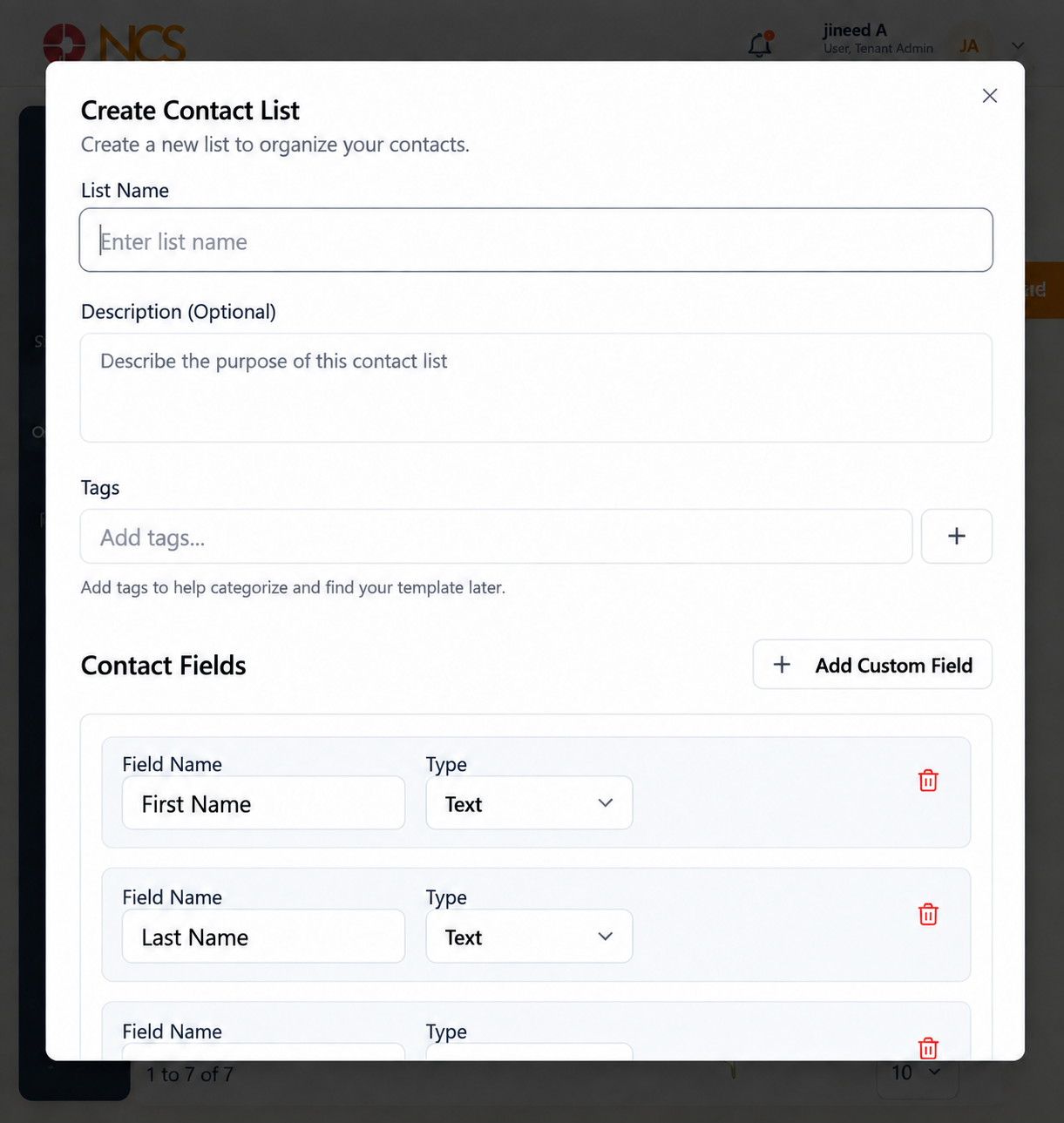
- Open Diffusion > Liste de contacts.
- Sélectionnez New List.
- Saisissez le List Nom.
- Enter a Description. This is optional, but it is where you record the source of the contacts and the basis on which you may message them.
- Enter Tags and use the add control to apply them.
- Review the five default Contact Champs:
| Champ | Type |
|---|---|
| First Nom | As shown in the form. |
| Last Nom | As shown in the form. |
| As shown in the form. | |
| Téléphone Numéros | As shown in the form. |
| Statut | As shown in the form. |
- Check each field's Champ Nom and Type.
- Sélectionnez Add Custom Champ to add another field.
- Sélectionnez Create List, or Annuler.
Add the custom fields now, before you import. A field added after an import has no values in the existing rows, so any personalisation that uses it renders blank for those contacts. Decide what your templates will need to say and create the fields to carry it before the first import.
The Description is where your consent record lives. Write down where the contacts came from, when, and what they agreed to receive. That sentence is what you will need if a recipient challenges a message, and no other field on this form captures it.
Figure key, Create Liste de contacts
- Titre du formulaire.
- List Nom field.
- **Champ Description.
- Tags field, with its add control.
- Contact Champs section, with First Nom, Last Nom, Email, Téléphone Numéros and Statut, each showing its Champ Nom and Type.
- Add Custom Champ control.
- Annuler button.
- Create List button.