BRD 3.1 Manage contact lists
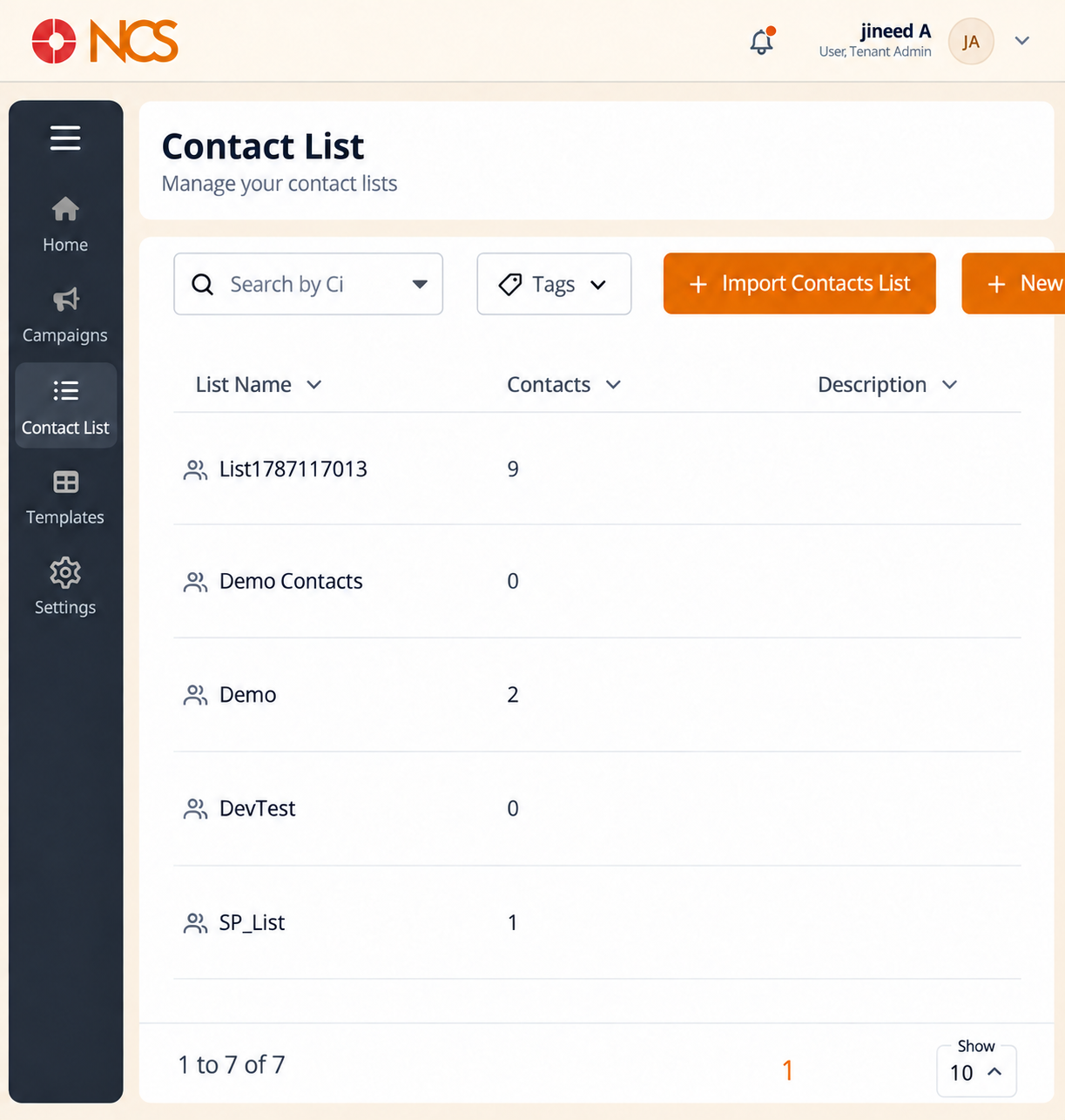
- Open Diffusion > Liste de contacts.
- Use Rechercher by Liste de contacts and Tags to locate a list.
- Review the columns: List Nom, Contacts, Description, Created Date and Tags.
- Sélectionnez Import Contacts List to import contacts from a file.
- Sélectionnez New List to define a new list structure.
Read the Contacts count before every send. It is the number of people a campaign built on this list will reach. A list that grew by an import you had forgotten is the most common cause of a campaign going to more people than intended.
Use Tags as your segmentation. Tagging by campaign, source and consent basis is what lets you target later without rebuilding the list.
Figure key, Diffusion Liste de contacts
- Fil d'Ariane.
- Left navigation, with Liste de contacts selected.
- Rechercher by Liste de contacts field.
- Tags filter.
- Import Contacts List button.
- New List button.
- List Nom column.
- Contacts column.
- **Colonne Description.
- Created Date column.
- Tags column.