INS 6.1 Review Santé vocale
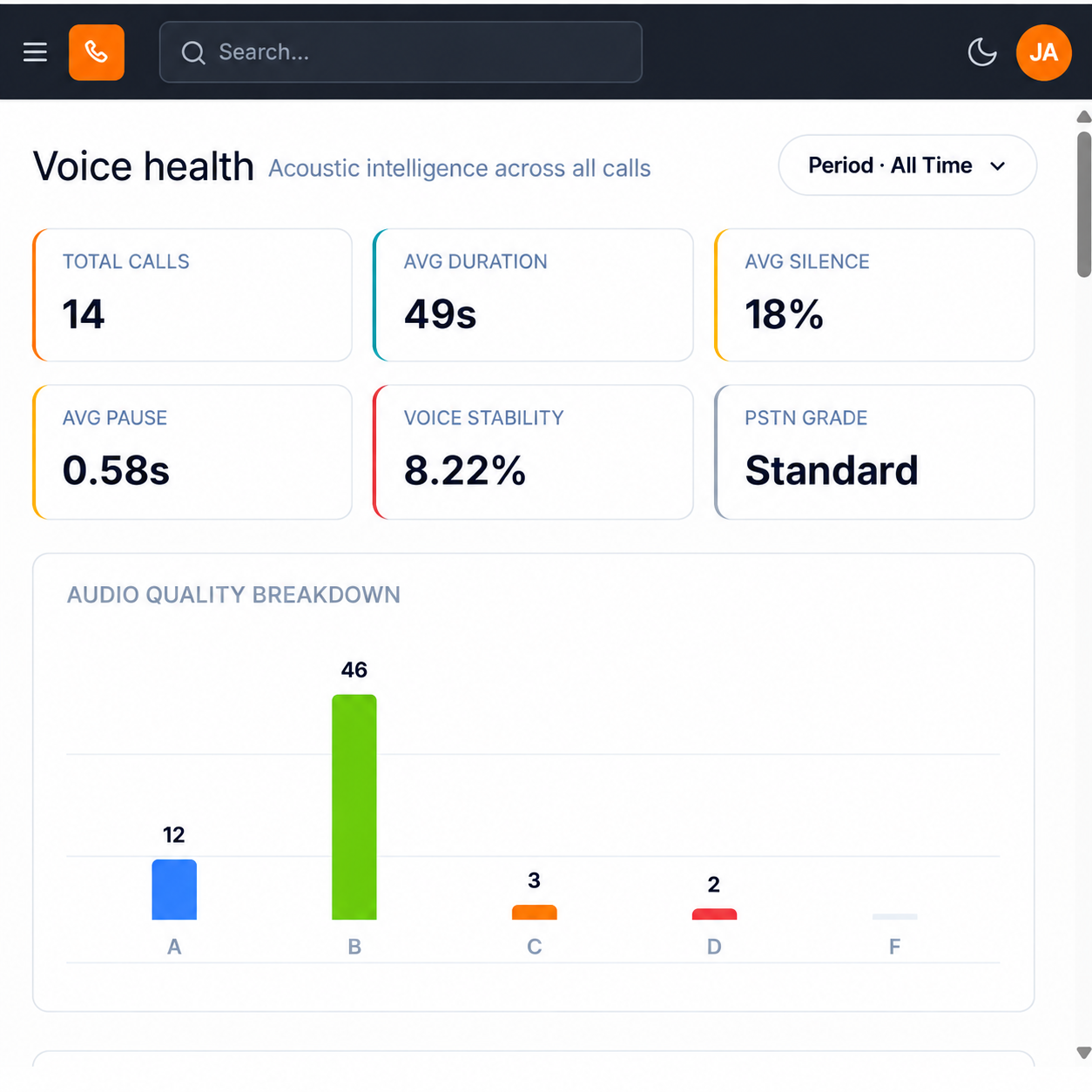
- Sélectionnez Santé vocale.
- Sélectionnez Period to set the scope. All Time is one of the values it offers.
- Read the six measures: Total Appels, Avg Duration, Avg Silence, Avg Pause, Voice Stability and PSTN Grade.
- Review Audio quality breakdown and Quality by hour of day.
- Review Top acoustic performers.
- Scroll to Signal quality distribution and Santé vocale metrics.
- Review Flags & Distribution and Recent Quality Alertes.
Quality by hour of day is the panel that finds network problems. Acoustic quality that degrades at the same hour every day points at contention on a line or a link, not at the agents working that shift.
Take your per-category figures from this page, not from the dashboard. The dashboard's Audio Quality Distribution can render a duplicate category label (see INS 2.3). The categories here are named individually.
Figure key, Santé vocale
- Insights left navigation, with Santé vocale selected.
- Period control, offering All Time among its values.
- Total Appels measure.
- Avg Duration measure.
- Avg Silence measure.
- Avg Pause measure.
- Voice Stability measure.
- PSTN Grade measure.
- Audio quality breakdown panel.
- Quality by hour of day panel.
- Top acoustic performers panel.
- Signal quality distribution panel.
- Santé vocale metrics panel.
- Flags & Distribution panel.
- Recent Quality Alertes panel.