PBX 1.5 Review blocked numbers
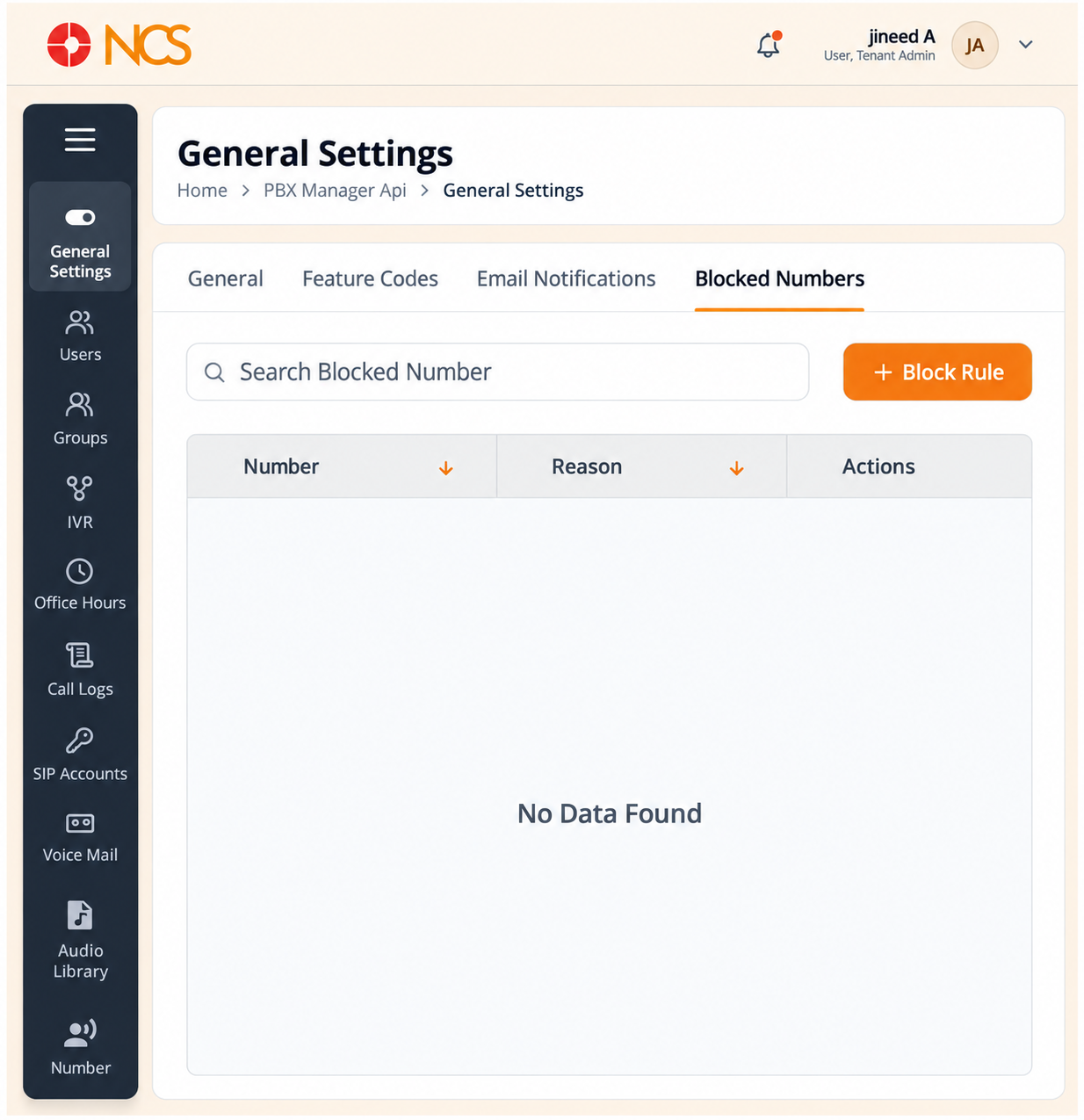
Blocked Numéross lists the inbound block rules on your tenant.
- Open Gestionnaire PBX > General Paramètres.
- Sélectionnez Blocked Numéross.
- Use Rechercher Blocked Numéros to locate a rule.
- Review the columns:
| Colonne | Contenu |
|---|---|
| Numéros | The blocked number. |
| Reason | The reason recorded when the rule was created. |
| Actions | Row controls for the rule. |
Sélectionnez the Numéros or Reason sort control to reorder the list.
Read the Reason column before you remove any rule. A block with no stated reason is the one most likely to be removed by mistake and then re-reported as nuisance traffic a week later, which is why PBX 1.6 asks you to write a real reason.
Figure key, Blocked Numéross
- Blocked Numéross tab, selected.
- Rechercher Blocked Numéros field.
- Block Rule button.
- Numéros column, with its sort control.
- Reason column, with its sort control.
- Actions column.