3.4 Create an Agent IA
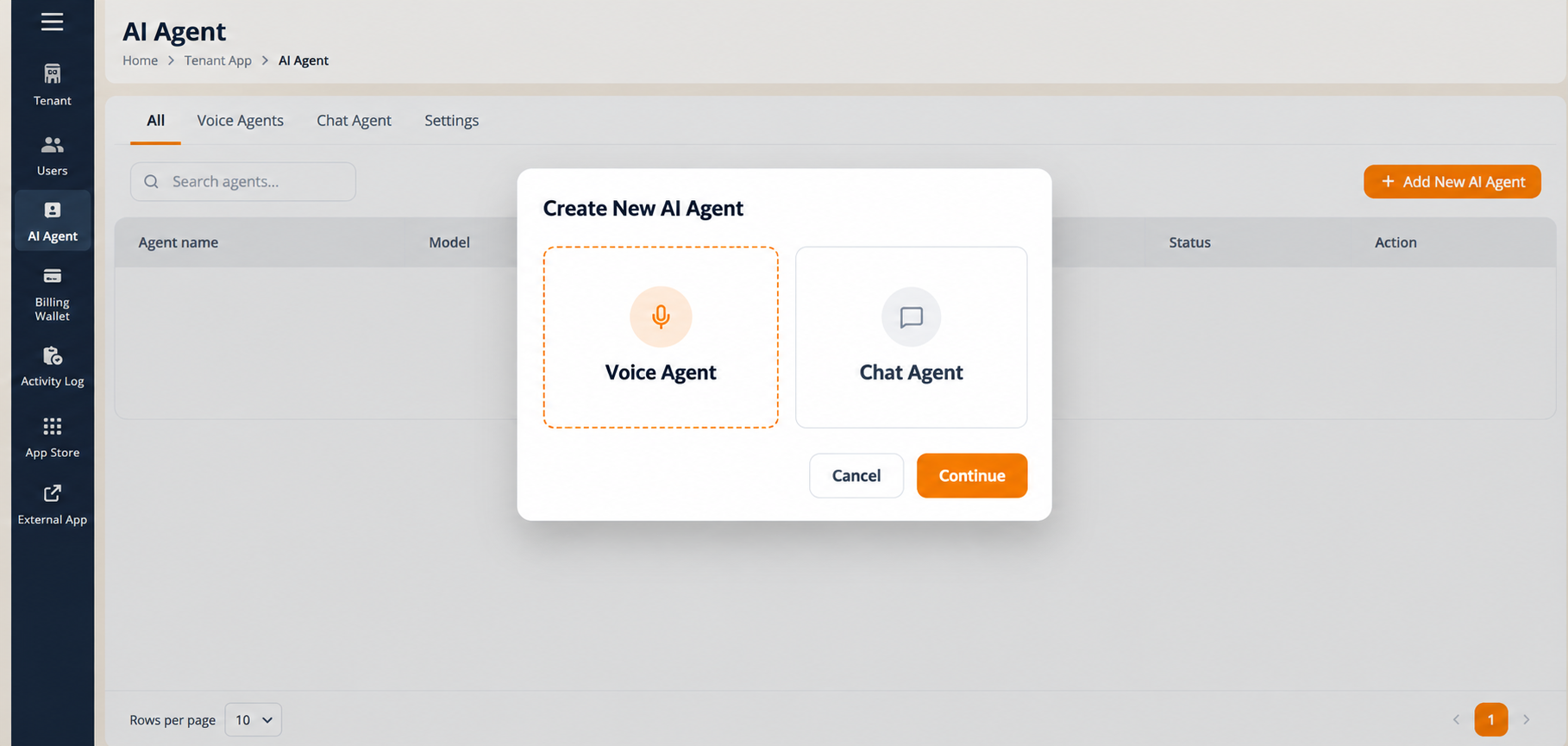
Selecting Add New Agent IA opens the Create New Agent IA modal, where you choose the type of agent to build.
Choisissez an agent type:
- Voice Agent, an agent for voice interactions, answering and routing calls.
- Chat Agent, an agent for text-based chat interactions.
Sélectionnez the card for the type you want. The selected card is outlined in orange.
- Sélectionnez Continue to open the configuration wizard for that type.
- Sélectionnez Annuler to close the modal without creating an agent.
Selecting Voice Agent and then Continue launches the Create Agent wizard described in 3.4.1 to 3.4.5.
The Create Agent wizard. The voice wizard has five sequential stages, shown in the progress bar across the top of the page:
- Identity & Persona
- Agent Paramètres
- Knowledge Base
- Intent and Routing
- Test & Publish
Stages unlock in order. A stage in the progress bar becomes selectable only once the stage before it has been completed, so you cannot jump ahead. Save Draft is available at every stage, so you can stop and return later. The back arrow (<) at the top left leaves the wizard and returns you to the Agent IA list.
Figure key, Create New Agent IA modal
- Modal title, Create New Agent IA.
- Voice Agent card.
- Chat Agent card.
- Orange outline on the selected card.
- Annuler button.
- Continue button.