4.1 Review the wallet balance and plan
The Aperçu tab presents four separate panels. Read them as four panels, not one summary: the balance figures and the plan entitlement come from different places.
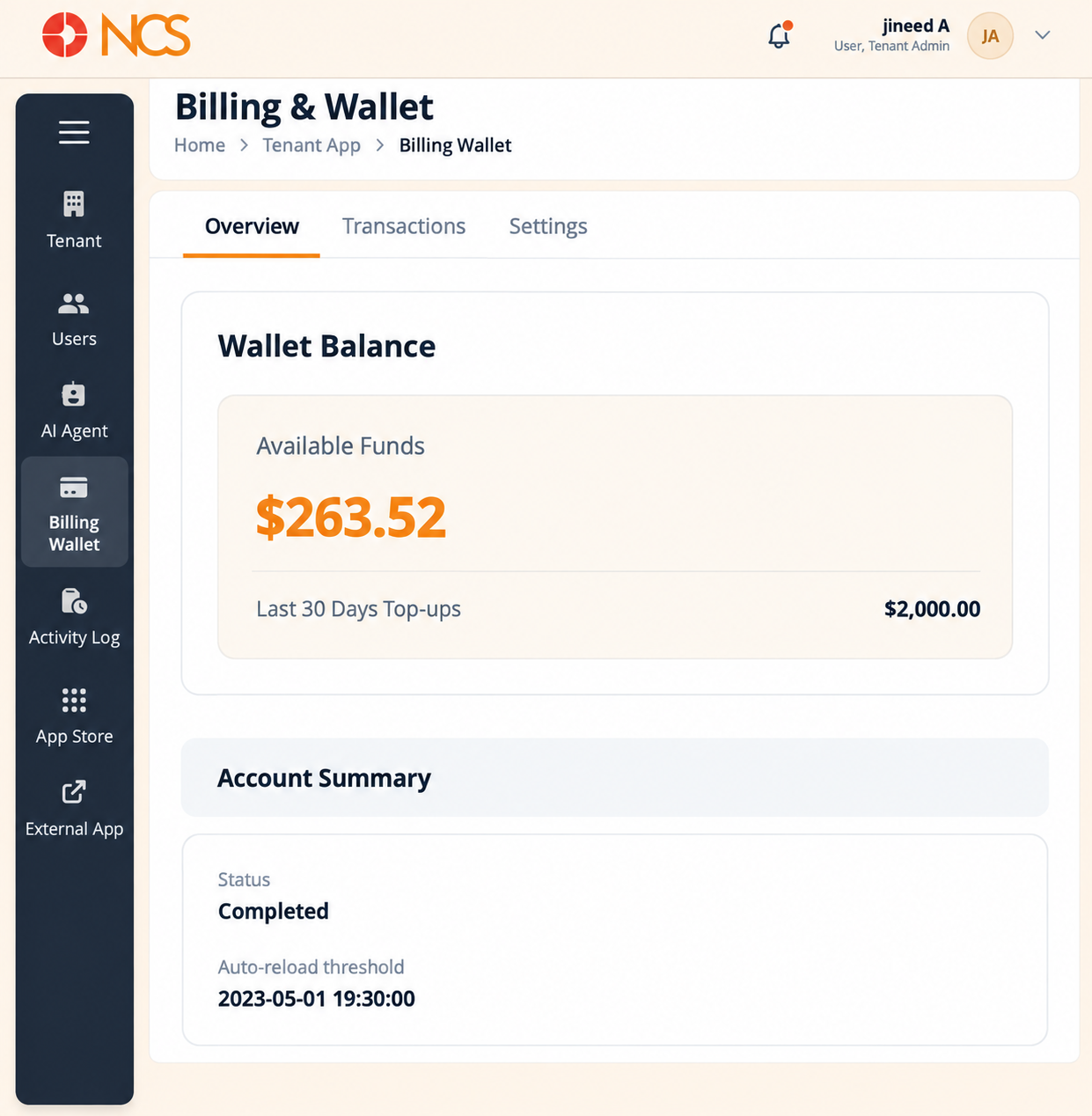
Panel 1, Wallet Balance
| Champ | Meaning |
|---|
| Available Funds | The prepaid balance currently available to spend on usage. |
| Last 30 Days Top-ups | The total credited to the wallet in the last thirty days. |
Panel 2, Account Résumé
| Champ | Meaning |
|---|
| Statut | The wallet's own status. |
| Auto-reload threshold | The balance at which an automatic top-up is intended to trigger. |
Panel 3, Balance and usage
| Champ | Meaning |
|---|
| Current Balance | The wallet balance. |
| Spent | Spend across the reporting period. |
| Top-ups | Credits added across the reporting period. |
| Estimated calls remaining | An estimate of remaining call volume at the current balance and rate. Treat it as an indication, not an entitlement. |
Panel 4, Plan
| Champ | Meaning |
|---|
| License Type | The licence assigned to your tenant. |
| Seats used | How many of your licensed seats are consumed. Compare this with Numéros of Utilisateurs on Locataire > Locataire (see 1.1) before you create users in bulk. |
| Statut | Whether the plan is active. |
| Renewal Date | The date the plan next renews. |
| Change plan | Moves the tenant to a different plan. |
| Annuler plan | Cancels the plan. |
- Fil d'Ariane.
- Left navigation, with Portefeuille de facturation selected.
- Aperçu tab, selected.
- Transactions tab.
- Paramètres tab.
- Wallet Balance panel, with Available Funds and Last 30 Days Top-ups.
- Account Summary panel, with Statut and Auto-reload threshold.
- Balance & usage panel, with Current Balance, Spent, Top-ups and estimated calls remaining.
- Plan panel, with License Type, seats used, Statut and Renewal Date.
- Change plan control.
- Annuler plan control.