PBX
The NCS One PBX (Private Branch Exchange) system provides a robust platform for managing your internal and external communication needs. This system allows you to handle extensions, call routing, call history, and contact management efficiently.
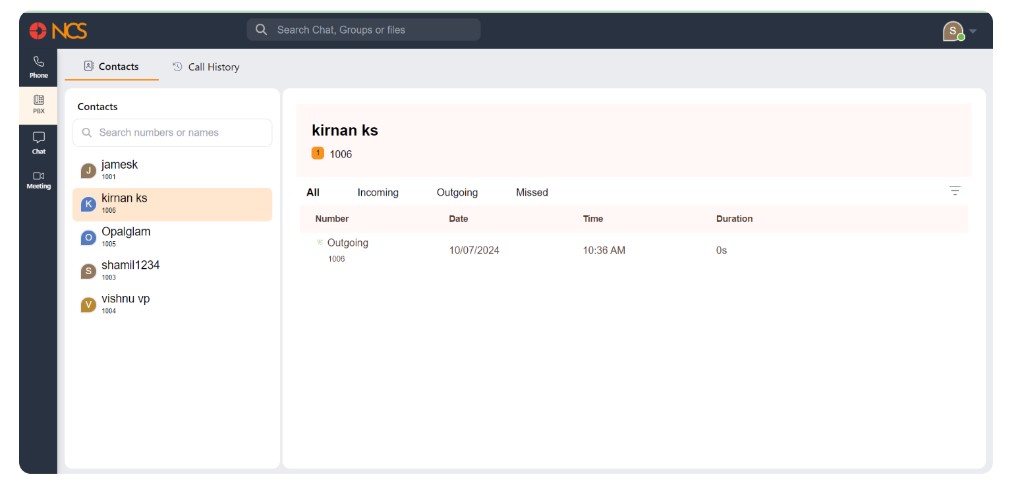
On the left sidebar, click on the PBX icon to open the PBX system interface you will find buttons:- Contacts, Appel History.
Managing Contacts
- View Contacts: The left panel displays a list of your contacts. Scroll through the list or use the search bar to find specific contacts by name or number.
- Sélectionnez a Contact: Cliquez sur on a contact to view their details and call history on the right panel.
- Rechercher Contacts: Use the search bar at the top of the contacts list to find specific contacts quickly by entering their name or number.