SUP 3.2 Create a disposition
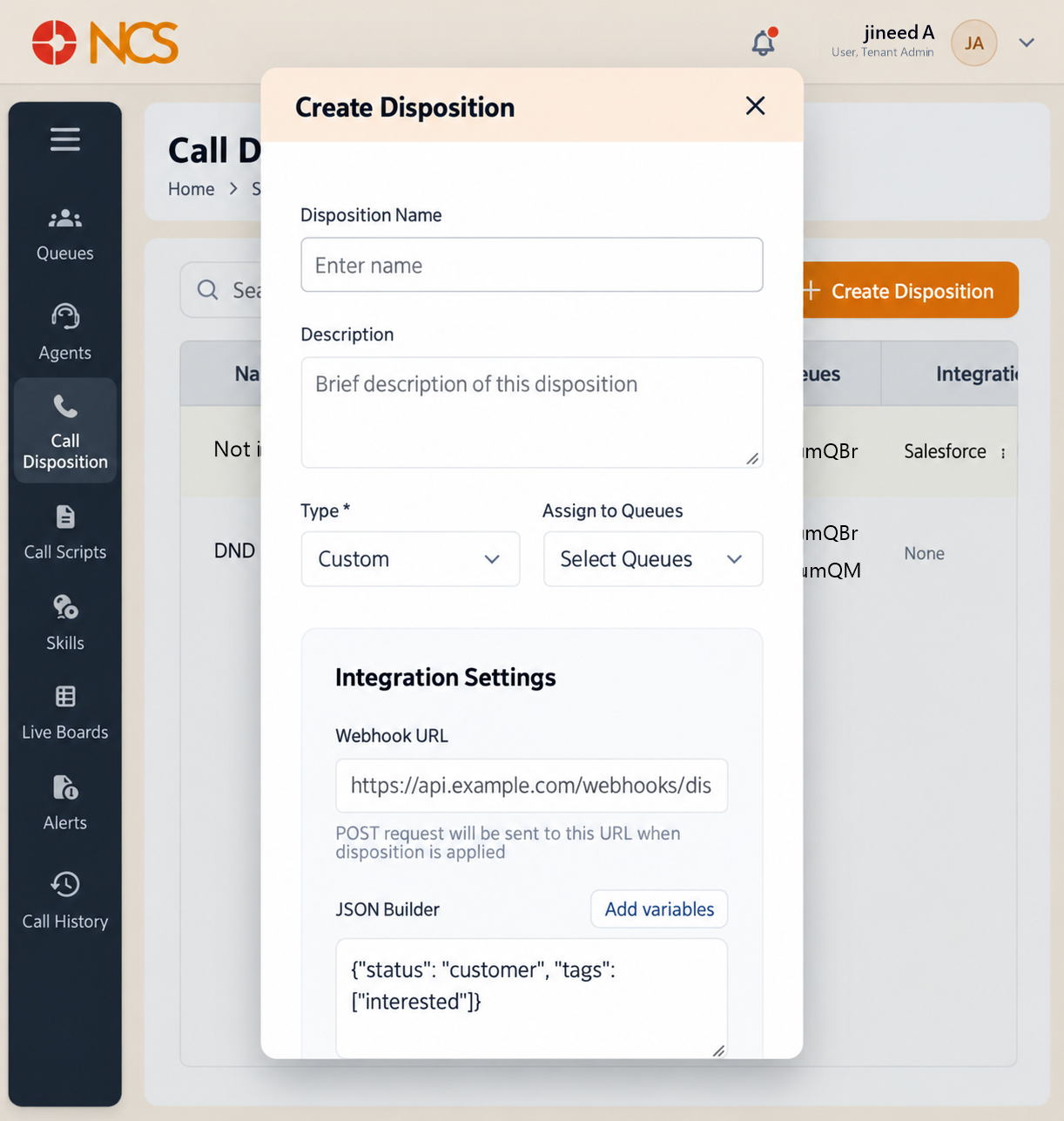
Create Disposition opens a dialogue with the same title.
- Open Superviseur > Appel Disposition.
- Sélectionnez Create Disposition.
- Saisissez le Disposition Nom, placeholder Enter name.
- Saisissez le Description, placeholder Brief description of this disposition.
- Set the Type. The field is marked mandatory with an asterisk, Type *, and shows Custom.
- Sélectionnez Assign to Fichiers d'attente, placeholder Sélectionnez Fichiers d'attente, and choose the queues this disposition applies to.
- If the outcome must reach an external system, complete Integration Paramètres:
- Saisissez le Webhook URL, placeholder https://api.example.com/webhooks/disposition. Its own helper text states: "POST request will be sent to this URL when disposition is applied".
- Build the payload in JSON Builder.
- Use Add variables to insert supported values rather than typing them.
- Set Auth Type and the Auth details. The auth fields carry the placeholder e.g., https://api.example.com/v1/auth/token.
- Set Retry, default 2 min, and Time out, default 5 min.
- Sélectionnez Save, or Annuler.
Figure key, Create Disposition form
- Titre du formulaire.
- Disposition Nom field.
- **Champ Description.
- Type selector.
- Assign to Fichiers d'attente selector.
- Webhook URL field.
- JSON Builder area.
- Add variables control.
- Authentication controls.
- Retry control.
- Time out control.
- Annuler button.
- **Bouton Enregistrer.