SUP 4.2 Create a call script
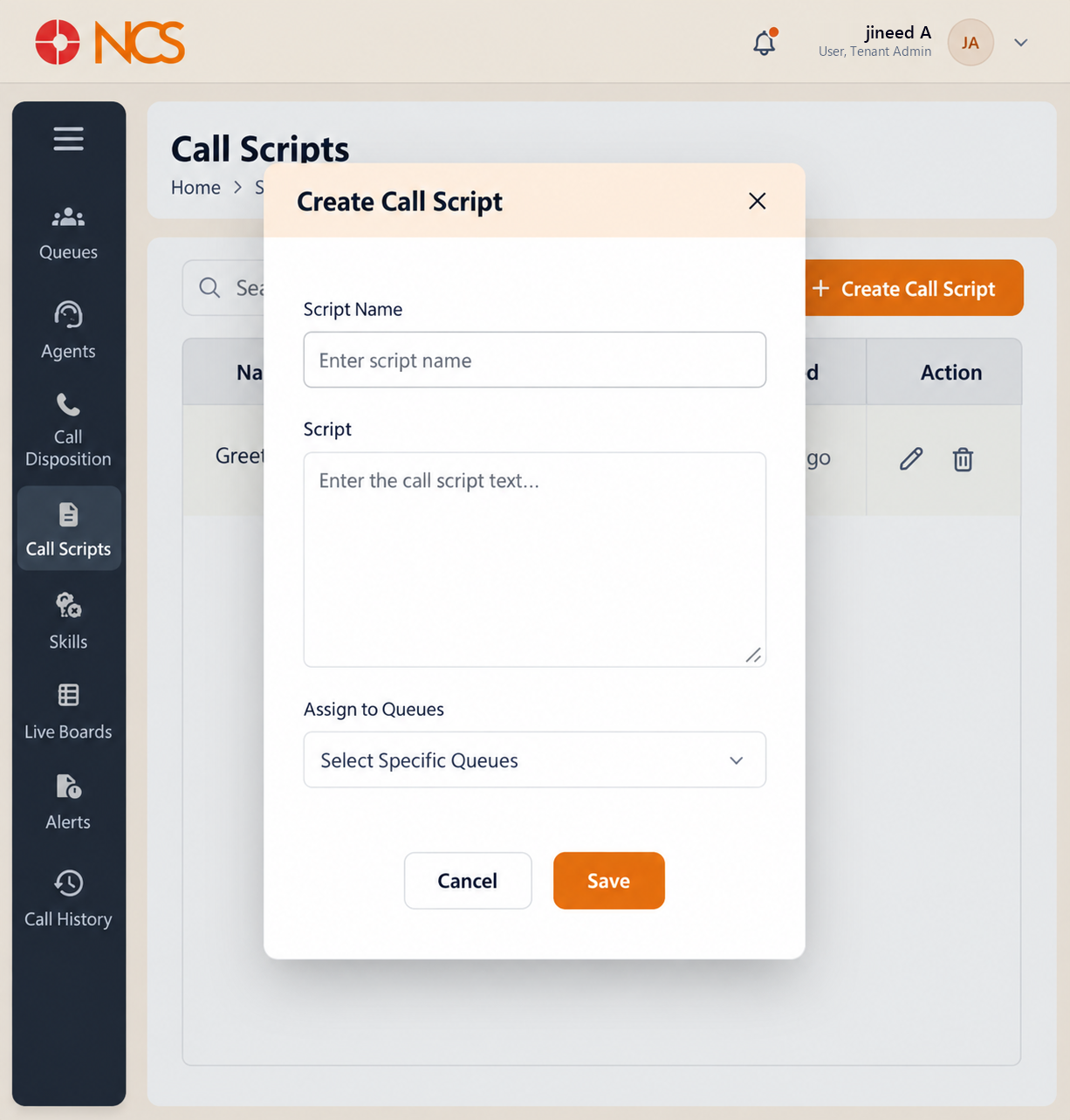
Create Appel Script opens a dialogue with the same title.
- Open Superviseur > Appel Scripts.
- Sélectionnez Create Appel Script.
- Saisissez le Script Nom, placeholder Enter script name.
- Saisissez le complete agent-facing Script text, placeholder Saisissez le call script text....
- Under Assign to Fichiers d'attente, use Sélectionnez Specific Fichiers d'attente to assign the script to the queues that need it.
- Sélectionnez Save, or Annuler.
Write the whole script, including the opening and the close. The agent sees this text and nothing else, so a script that starts mid-conversation leaves them improvising the two moments a customer remembers.
Include any wording your compliance position requires. A recording notification, a data-protection statement or a mandatory disclosure belongs in the script text where the agent cannot skip it, not in a separate training document.
Figure key, Create Appel Script form
- Titre du formulaire.
- Script Nom field.
- Script text area.
- Specific Fichiers d'attente selector.
- Annuler button.
- **Bouton Enregistrer.