BRD 4.2 Create an SMS template
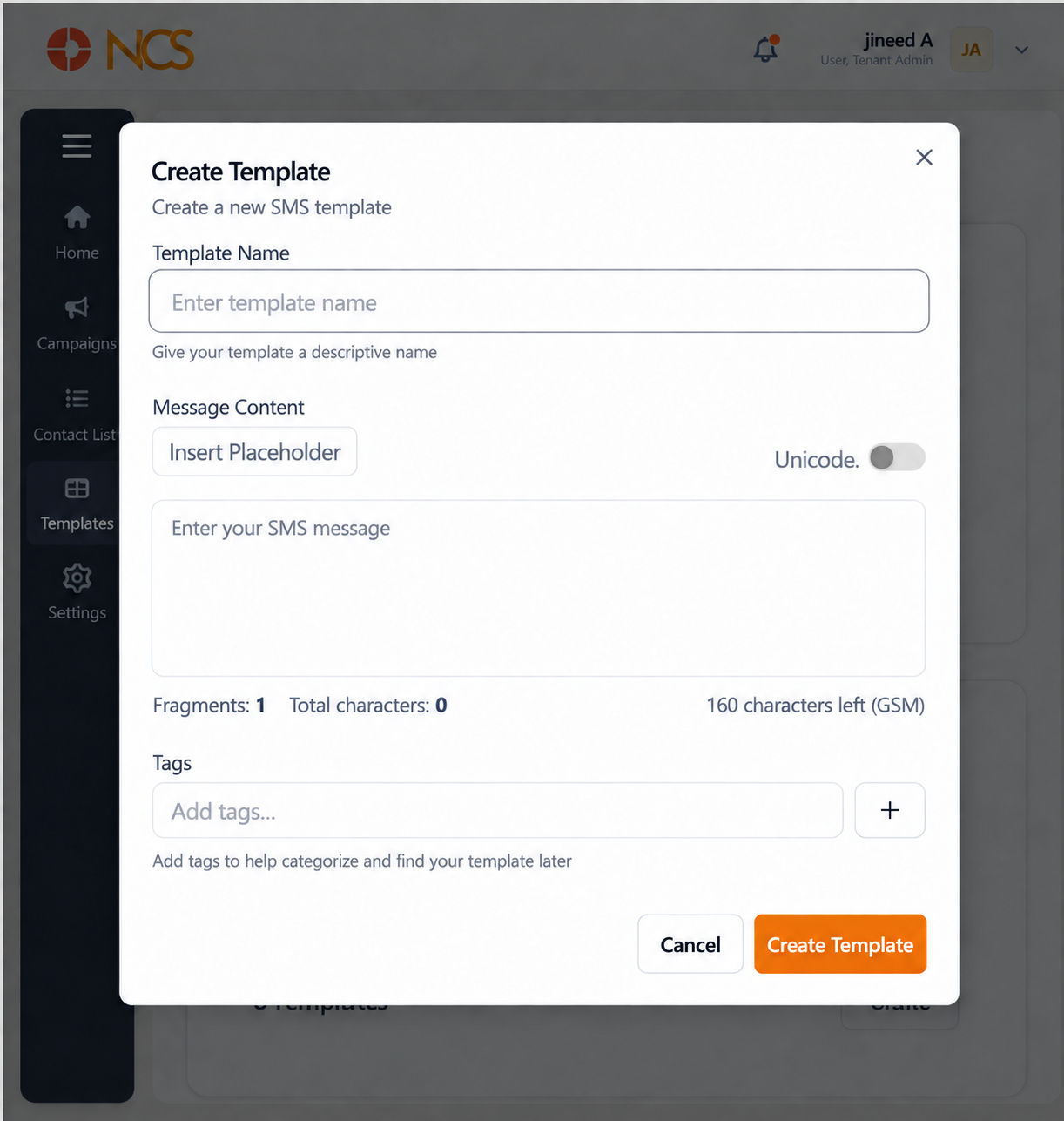
- Open Siaran > Templat.
- Pilih Create under SMS Templat.
- Masukkan Template Nama.
- Masukkan Message Content.
- Pilih Insert Placeholder where contact-specific data belongs, for example a first name.
- Enable Unicode if the message needs characters outside the GSM character set.
- Watch Fragments, Total characters and the remaining-character count as you type.
- Add Tags if required.
- Pilih Create Template, or Batal.
Fragments is the field that costs you money. An SMS longer than a single fragment is billed and delivered as several messages. Watch the count as you write, and keep the message inside one fragment unless the extra length earns its cost.
Enabling Unicode shortens the message sharply. Unicode is what you need for accented characters and non-Latin scripts, and it reduces how many characters fit in a fragment. Enable it only when the content requires it, and re-check the Fragments count immediately afterwards.
Insert placeholders with Insert Placeholder, not by typing them. A hand-typed placeholder is accepted by the form and then delivered to the recipient as literal text, so the error is visible to your customer rather than to you. This is the same rule as the Aplikasi Luar variables in the Penyewa module.
Check the placeholder against your contact list. A placeholder for a field your list does not populate renders empty. Send a test to your own number first and read what actually arrives.
Figure key, Create SMS Template
- Tajuk borang.
- Template Nama field.
- Message Content field.
- Insert Placeholder control.
- Unicode control.
- Fragments counter.
- Total characters counter.
- Remaining-character counter.
- Tags field.
- Batal button.
- Create Template button.