PBX 1.6 Create a block rule
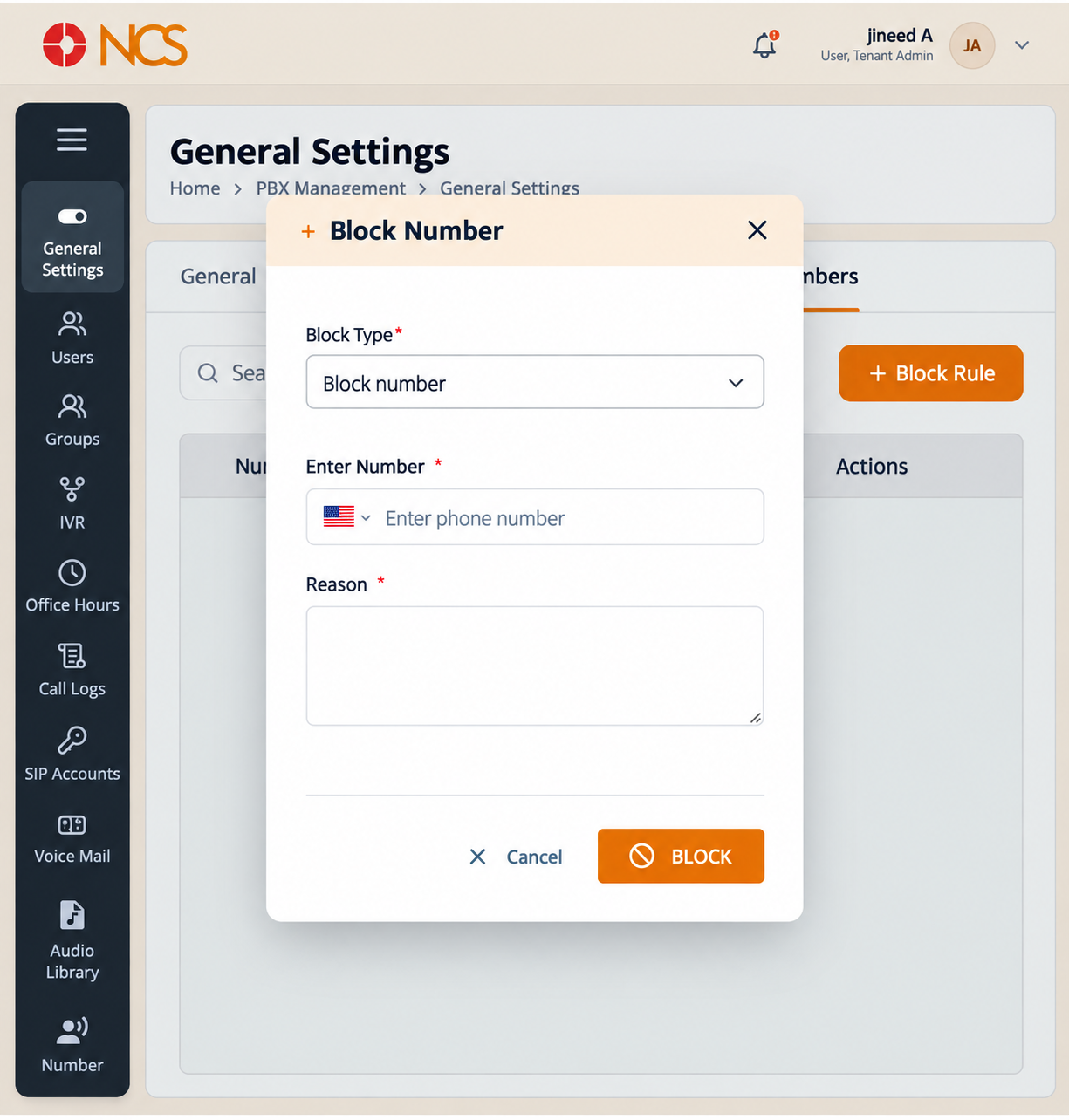
- Open Pengurus PBX > General Tetapan and select Blocked Nombors.
- Pilih Block Rule.
- Pilih Block Type. Block number is the type the form offers.
- Pilih the number's country, or International format.
- Masukkan phone number.
- Enter a clear Reason for the block.
- Pilih BLOCK to create the rule, or Batal to close the form.
Write the reason for the next administrator, not for yourself. Include what the traffic was and when, for example a note that the number placed repeated silent calls to reception during a stated week. A reason that reads only "nuisance" gives whoever reviews the list in six months nothing to decide with.
Figure key, Block Nombor form
- Tajuk borang.
- Block Type selector, offering Block number.
- Country or International format selector.
- Telefon number field.
- Reason field.
- Batal button.
- BLOCK button.