4.3 Configure billing preferences
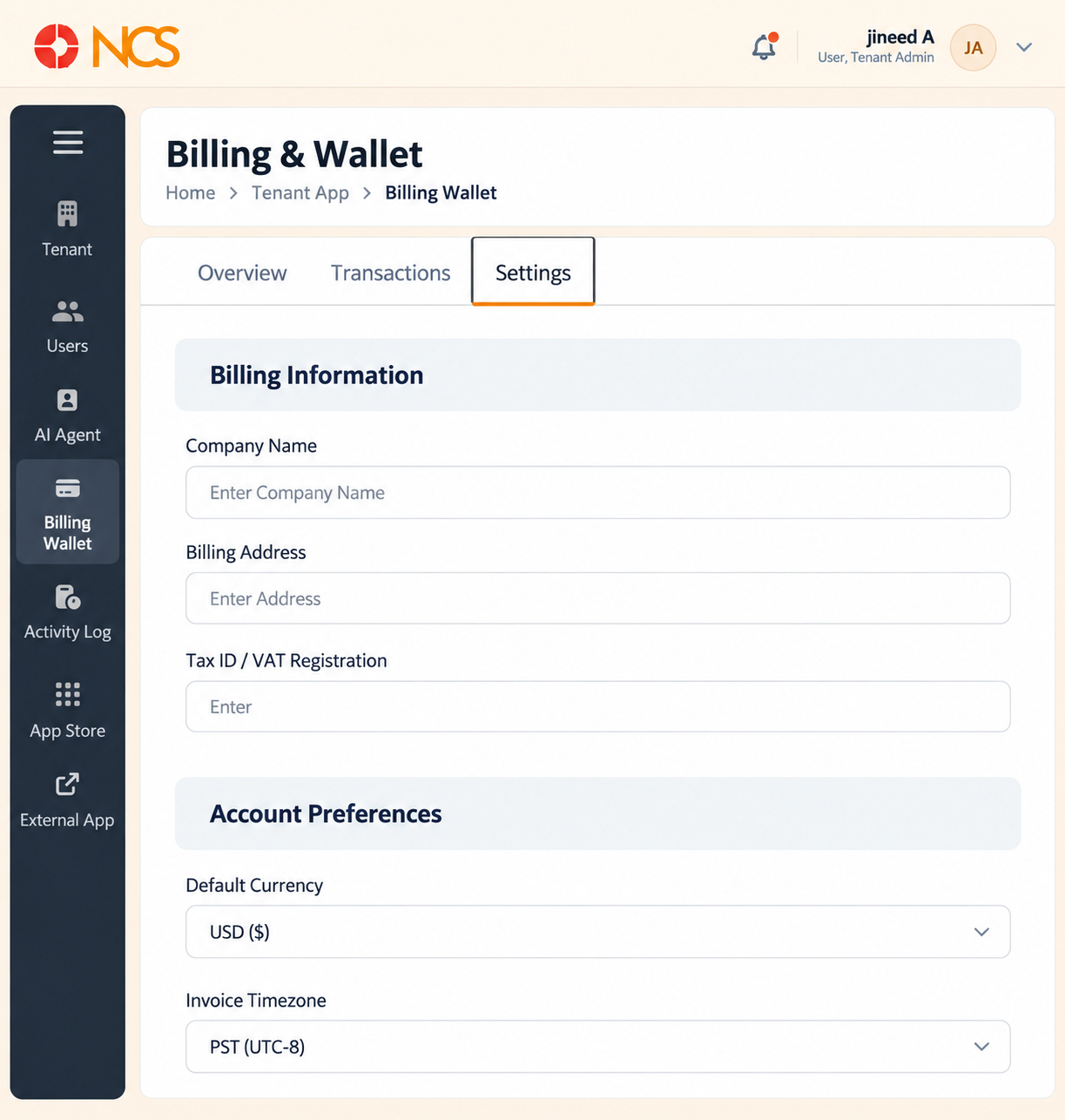
The Tetapan tab holds the details that appear on your invoices and the notifications the wallet sends.
- Open Penyewa > Dompet Bil.
- Pilih Tetapan.
- Masukkan billing identity:
- Company Nama, the legal entity to be invoiced.
- Billing Address, the address to appear on the invoice.
- Tax ID / VAT Registration, your tax or VAT registration number.
- Pilih Lalai Currency: USD, EUR or GBP.
- Pilih Invoice Timezone: PST, EST, UTC or CET. This sets the timezone the invoice period is cut in, so it affects which day a transaction falls on.
- Set the three notification toggles:
- Low Balance Alert, emails you when available funds run low.
- Top-up Confirmations, emails you when a top-up completes.
- Monthly Statements, emails you a statement each month.
- Pilih Save Tetapan.
The Low Balance Alert threshold is fixed - The setting reads "Notify via email when available funds drop below $50". The $50 figure is set by the platform and there is no field to change it. You can turn the alert on or off, but you cannot choose the trigger amount. If you need a higher threshold for your call volume, monitor Available Funds on the Gambaran Keseluruhan tab yourself, or ask support@ncsapp.com whether an auto-reload arrangement can cover it.
Complete this tab before your first invoice is issued. Company Nama, Billing Address and Tax ID are what appear on the invoice, and a missing VAT registration is harder to correct after the fact than before.
Figure key, Billing Tetapan
- Tetapan tab, selected.
- Company Nama field.
- Billing Address field.
- Tax ID / VAT Registration field.
- Lalai Currency selector, offering USD, EUR and GBP.
- Invoice Timezone selector, offering PST, EST, UTC and CET.
- Low Balance Alert toggle, with its fixed $50 threshold text.
- Top-up Confirmations toggle.
- Monthly Statements toggle.
- Save Tetapan button.