SUP 3.1 Review dispositions
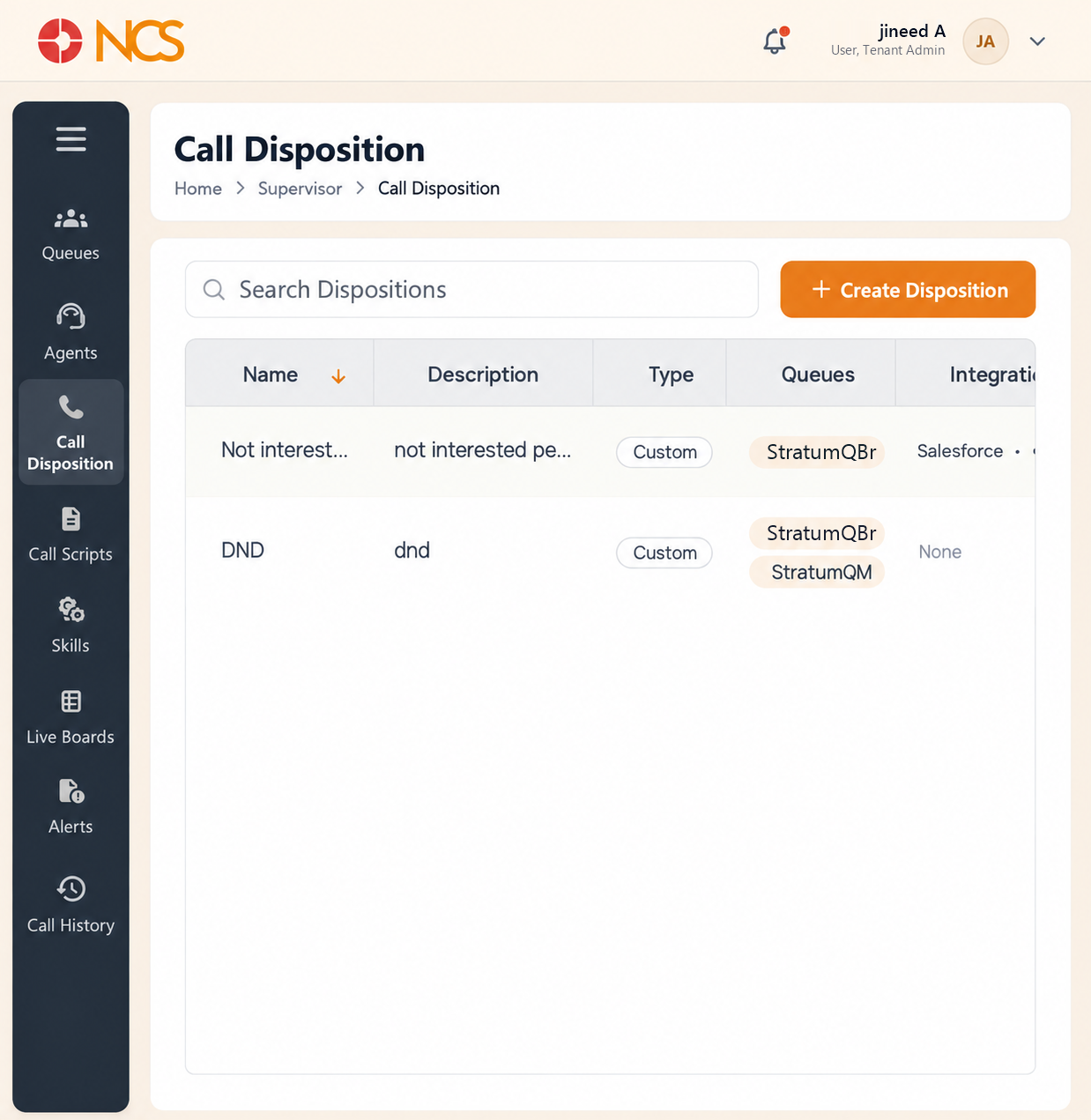
- Open Penyelia > Panggilan Disposition.
- Review the columns:
| Lajur | Kandungan |
|---|---|
| Nama | The disposition as the agent sees it. |
| Penerangan | What it means, and when to use it. May be empty. |
| Type | Its classification. Every disposition on the reviewed tenant showed Custom. |
| Barisan Giliran | The queues it is offered on. A disposition can be assigned to several queues, and they are listed one per line, so one outcome can serve your whole contact centre. |
| Integration | None, or the connected system and its authentication method, shown as two lines, for example Salesforce above OAuth. |
| Tindakan | Row controls. |
- Use a row control only on the disposition you intend.
Keep the list short. A disposition list an agent has to scroll gets the first plausible entry selected every time, and your reporting degrades quietly. Ten well-described outcomes beat forty precise ones.
Fill in the Penerangan even though the product lets you leave it blank. Two of the five dispositions on the reviewed tenant had no description at all, and one of the remaining three read only test. A disposition list in that state is a set of unlabelled buttons, and the reporting built on it means nothing.
Figure key, Panggilan Dispositions
- Jejak Navigasi.
- Left navigation, with Panggilan Disposition selected.
- Cari Dispositions field.
- Create Disposition button.
- Nama column.
- Penerangan column.
- **Lajur Jenis.
- Barisan Giliran column.
- Integration column.
- Tindakan column.