SUP 5.2 Create a skill
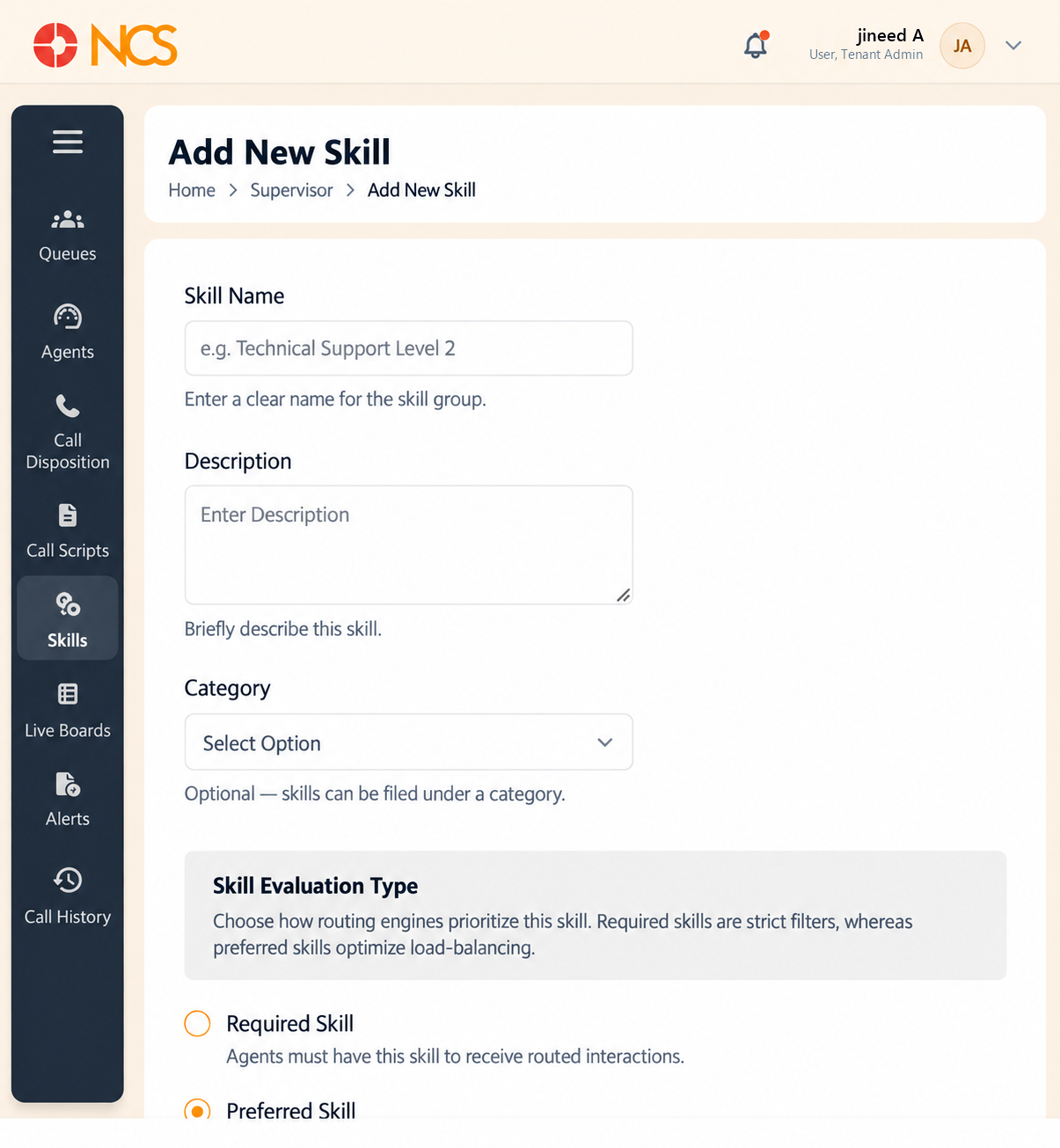
Add New Skill opens a full page, not a dialogue.
- Open Penyelia > Kemahiran and select Add New Skill.
- Masukkan Skill Nama. Helper text: "Enter a clear name for the skill group."
- Masukkan Penerangan. Helper text: "Briefly describe this skill."
- Set the Category if you want one. The selector reads Pilih Option, and the helper text states it is optional: skills can be filed under a category.
- Set the Skill Evaluation Type. The page explains the choice itself: "Pilih how routing engines prioritize this skill. Diperlukan skills are strict filters, whereas preferred skills optimize load-balancing."
| Option | The application's own description |
|---|---|
| Diperlukan Skill | "Ejen must have this skill to receive routed interactions." |
| Preferred Skill | "Ejen can have this skill, but it is not mandatory for routing." |
- Pilih Save, or Batal.
Diperlukan is a filter, Preferred is a preference, and the difference decides whether calls queue or connect. A Diperlukan skill nobody on shift holds means the interaction has no eligible agent and waits, however many people are free. Use Diperlukan only where handling the call without the skill would be wrong, such as a regulated product or a language the customer needs. Use Preferred for everything else, so routing favours the right person but still connects when they are busy.
Diperlukan and Preferred behave very differently under load. A Diperlukan Skill with two qualified agents means callers wait for those two people however many other agents are free. Preferred sends the call to a qualified agent when one is available and to anyone otherwise. Reserve Diperlukan for cases where an unqualified agent genuinely must not take the call, for example a regulated product or a language the customer needs.
Nama skills for the capability, not the person. Spanish and Tier 2 hardware survive staff changes. A skill named after a team lead becomes an untouchable routing rule.
Figure key, Add New Skill
- Tajuk borang.
- Skill Nama field.
- Penerangan field.
- Category selector.
- Diperlukan Skill option.
- Preferred Skill option.
- Batal button.
- **Butang Simpan.